


Date: 18 July 2026
Table of Contents
Toggle“But It Still Works!” The Dangerous Trap of a MacBook Coffee or Water Spill
We need to talk about a very specific, urgent repair scenario that our technician team at Subang SS15 has been dealing with multiple times a day this week.
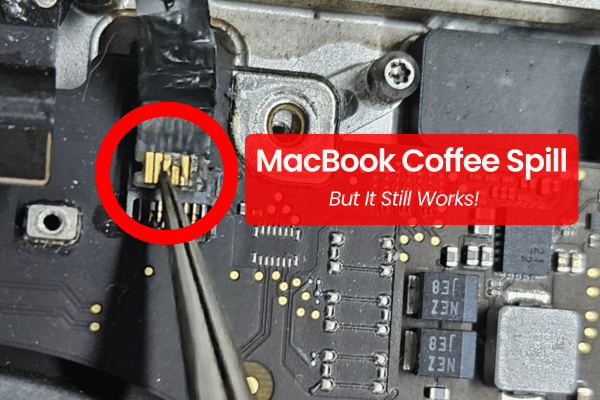
A customer walks into our shop, looking completely stressed. They place their MacBook Pro on the table and say, “My Mac is restarting non stop, and the trackpad and keyboard no respond. But the weird thing is, I spilled coffee on it four weeks ago, and it worked perfectly fine after I wiped it! Why is it only spolling now?”
This is the absolute classic MacBook liquid damage trap.
When you accidentally spill a cup of mineral water or a hot latte over your keyboard, your immediate instinct is to panic, grab a tissue, wipe the surface clean, and wait a few minutes. If the screen stays on and you can type, you breathe a massive sigh of relief, think you dodged a bullet, and go right back to work.
But behind that glowing screen, a silent, invisible clock has just started ticking. Here is the unfiltered truth about why a liquid damaged Mac works fine initially but breaks down weeks later, and what you need to do to stop it from becoming an expensive piece of e-waste.
The Science of the Slow Burn: What is Corrosion?
To understand why your MacBook takes weeks to die, you have to look at how electricity and liquid interact. Water or coffee by themselves don’t instantly melt microchips. The real killer is a chemical process called corrosion.
Your MacBook battery is connected to the logic board, sending live voltage power through copper circuit paths even when the Mac is asleep or shut down. The very second liquid (mineral water, or worse, acidic and sugary hot/cold coffee) bridges two active power lines, a miniature chemical electrical current triggers.
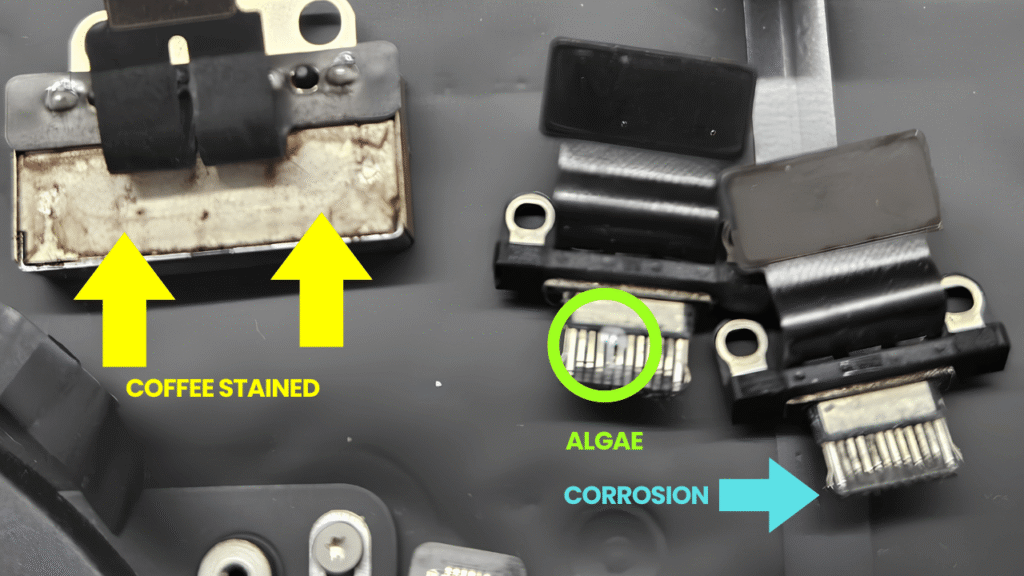
This current instantly starts eating away the copper traces, converting solid metal into a useless, fuzzy green crust called copper oxide.
If the liquid only hits a minor, non essential sensor path at first, your Mac will keep running perfectly. But as you use the Mac over the next few days, the heat from the internal fans accelerates the chemical reaction. The green rust slowly spreads like a cancer across the board until it finally reaches a critical power and signal lines. That is when the delayed disasters hit.
The 3 Most Common Delayed Symptoms We See Daily
When the corrosion finally completes its journey across your logic board, your MacBook will suddenly display very specific structural failures out of absolutely nowhere:
The Keyboard & Trackpad No Respond
The area directly under your keyboard and trackpad sit the main data management cables and power lines. Because liquid naturally settles into the lowest physical points of the casing, these lines rot first. You will wake up one morning and find that your trackpad is completely unresponsive, or certain keyboard keys start ghosting and typing random characters on their own.
The Infinite “Restart Non Stop” Loop
This is what we call the classic boot loop nightmare. When corrosion bridges the main system management lines or the power management integrated circuits (PMIC), the logic board gets confused. It detects an unstable electrical short, panics, and cuts power to protect itself. Then it tries to boot back up, hits the same short, and cuts power again. Your Mac ends up stuck restarting non stop, flickering the Apple logo every few seconds until the battery drains completely flat.
Display Backlight & Stage Light Problem
The circuit line that powers your MacBook screen runs on high voltage, usually up to 40v. If even a single drop of residual coffee moisture touches this high voltage power line, the current will violently pop the backlight fuse or burn the connector pin directly. Your screen will suddenly go completely black, or display an uneven “stage light” effect at the bottom of the screen.
The False Fixes: Why Rice and Hairdryers Make It Worse
If you read internet forums, people will tell you to stick your wet MacBook into a bag of raw rice or blast it with a hairdryer. Please, do not do this.
The Rice Myth: Rice cannot pull moisture out from the tightly sealed inner layers of a multi layered logic board. All it does is send starch dust and debris into the cooling vents. This dust mixes with the wet coffee inside, forming a thick, crusty paste that locks the moisture against the chips, speeding up the rotting process.
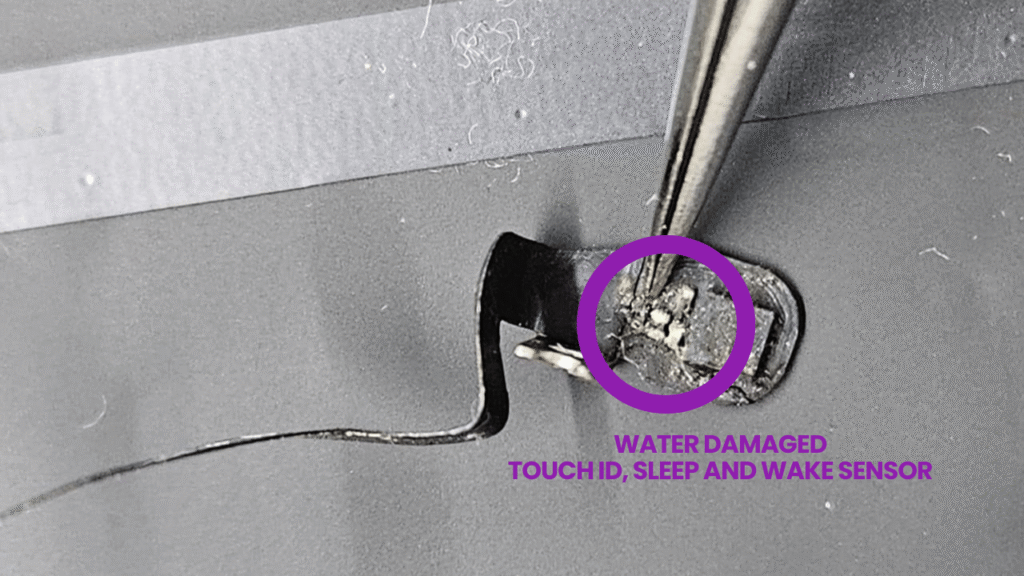
The Hairdryer Mistake: Blasting hot air through the keys doesn’t dry the liquid inside. Instead, the air pressure pushes the liquid droplets deeper into the hidden corners of the logic board, spreading the water damage to sectors that were dry. Worse, the intense heat can melt the delicate plastic structural layers under your keyboard sensors.
The Only Real Solution: Ultrasonic Cleaning & Precision Soldering
If you have spilled liquid on your Mac, the absolute best thing you can do is force shut down the power immediately, pull out the charger, and bring it straight to an experience repair shop. Do not wait for symptoms to show up.
At Orange Fix Services, we don’t just blast your board with hot air and hope for the best. We open the chassis, disconnect the live battery connector to stop the corrosion process, and remove the logic board.
Once the board is clean and dried in our special oven, we will trace and repair any copper lines that were already eaten away, soldering new jumper lines to restore the broken electrical lines. This is how we consistently repair logic board preserve your files and data.
Frequently Asked Questions
Why does my MacBook keyboard spoiled after a liquid spill even if the logic board is completely clean?
The keyboard sensors are constructed from multiple layers of thin, transparent plastic sheets lined with thin layers of conductive traces. When water or coffee seeps past the physical key caps, it gets trapped between these plastic sheets. Because these layers are glued together, the liquid cannot evaporate naturally, leading to rapid corrosion of the silver lines that permanently shorts out the key input sensors.
Can an official service centre repair a MacBook that is keep restarting non stop due to a coffee spill?
Official service centres do not perform component level trace repairs or chemical cleaning. Their protocol for liquid ingress is to change everything. If your Mac keep restart, they will issue a quotation for a logic board replacement alongside a top case assembly replacement (which includes a new keyboard and battery), usually costing close to a new MacBook.
Is my data still recoverable if the MacBook has been sitting with liquid damage for more than a month?
Data recovery depends entirely on whether the corrosion has penetrated the primary lines of the NAND flash storage chips. If the liquid has only damaged the external power and signal lines, keyboard, or charging power circuits, our soldering technician can bypass the shorts to stabilize the board and copy out your data. However, if the MacBook is left sitting wet for months, the corrosion can eventually go in deep into the internal layers of the storage chipsets, making data lost permanently.

Topics That Might Interest You
Spilled something on your MacBook and need an immediate emergency help? Read our macbook air water damage repair malaysia guide to minimize the internal damage before bringing it to our shop.
Worried about your work files, photos, and databases while your Mac is undergoing repair? Find out exactly how we protect your privacy and storage chips by checking out is my data safe during macbook repair malaysia.
Planning to come to our Subang SS15 shop on a weekend or a public holiday? Make sure you check our latest orange fix services operating hours update so you can secure a priority advance appointment slot.

About The Author
This article is written with input from Kevin, who has 18 years of hands on experience in MacBook repair, logic board inspection and Apple device care. Kevin and the OrangeFix team are also daily Apple product users, so every guide is written from real repair experience and practical user understanding.
Kevin has shared his repair knowledge through a CityPlus FM radio interview and has also been featured twice in The Star for gadget care, water damage advice and digital decluttering tips.
OrangeFix is an independent repair centre in SS15, Subang Jaya.