


Table of Contents
ToggleMacBook Air Water Damage Repair
The No Nonsense Guide to Save Your Apple Device
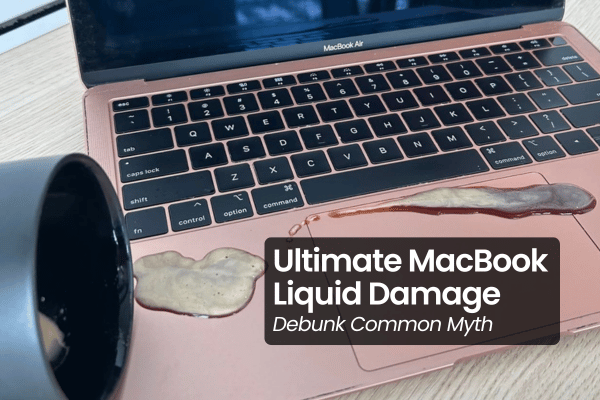
It happens in a split second. A tipped coffee mug, a leaking water bottle in your bag, or a sudden splash across your keyboard. Instantly, panic sets in, and your mind races through every critical assignment, business document, and family photo trapped inside your machine.
If you are reading this right now because your MacBook just had an accidental encounter with liquid, take a deep breath. Let us bypass the generic, half baked internet advice and look at the actual engineering reality of what is happening inside your Apple device, and exactly how we can save it.
Step 1: The Critical First 5 Seconds — Force Power Off Immediately
The absolute first thing you must do right now is hold down the power button (or Touch ID sensor) and force your MacBook completely off. Do not waste time properly closing your open applications, saving your active tabs, or clicking through menu bars.
When liquid makes contact with a live circuit board, it creates a pathway for electrical currents to jump wildly across micro components. This instant surge causes a catastrophic short circuit, frying vital chips and cutting off power lines. Cutting the power immediately is the single most important action you can take to minimize damage.
Myth: Why the “Upside Down” Angle and Rice Bags Fail
Let us address the common myths that high recommended on online forums, because following them can easily turn a salvageable Mac into a permanent damage.
The Positioning Trap: Many articles tell you to position your Mac at a weird angle, tilt it sideways, or leave it upside down in a “tent mode.” DO NOT DO THIS. Shaking or tilting the device causes the liquid to run freely across the internal compoenents, spreading moisture to completely dry components. It can easily force water deep into the delicate backlight layers of your screen. Keep the MacBook completely flat in its normal position.
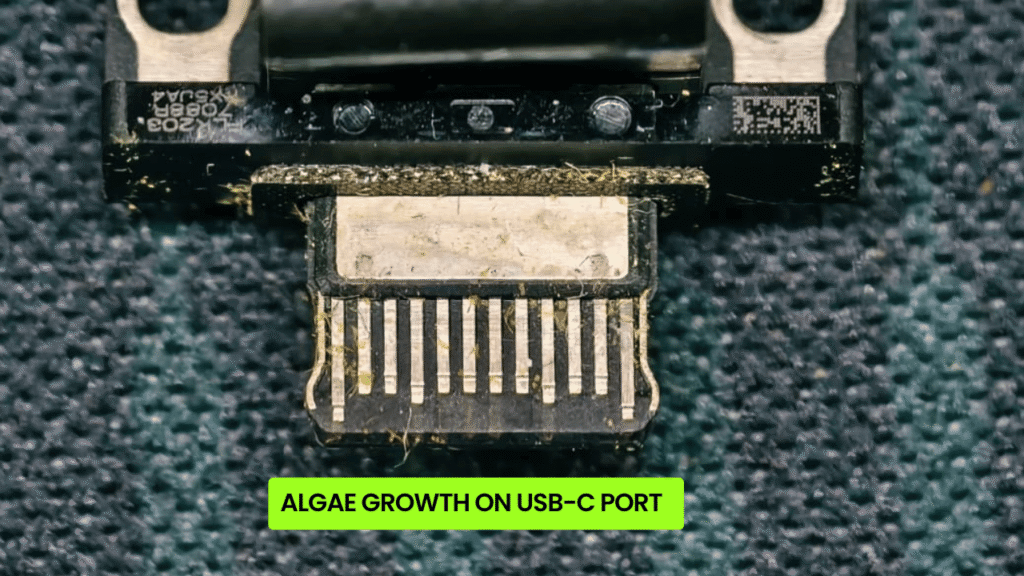
The Rice Myth: Shoving a Mac into a bag of raw rice does absolutely nothing to extract internal moisture. Instead, micro starch dust and debris find their way into your cooling fans, keyboard switches, and USB-C ports, creating a sticky, corrosive flow when mixed with the internal liquid.
The Internal Reality: Why You Must Act Fast
On all modern MacBooks, the battery connector is always connected to the logic board, even when the screen is dark and the system is completely shut down.
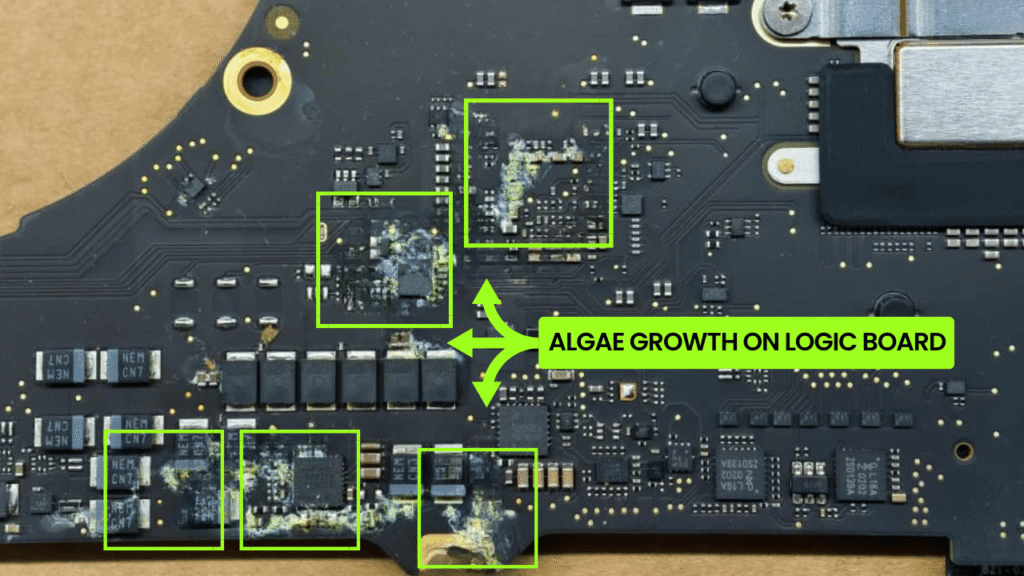
Because current is constantly flowing through those tightly packed circuits on the logic board, the presence of liquid triggers an immediate chemical reaction known as galvanic corrosion. Within hours, a green, crusty layer of mold, algae, and oxidation begins eating away at the copper traces and micro-soldered resistors.
This is why getting your machine to a professional technical bench for a deep check, clean, and dry as fast as possible is so critical. If you are in the Kuala Lumpur or Selangor area, bringing it to a specialized workshop quickly can mean the difference between a simple cleaning job and a massive, expensive component failure.
The Transparent Process: No Blind Quotes, No Over Promise
We received many phone calls and WhatsApp messages daily from worried owners asking, “How much will it cost to fix my water-damaged Mac?”
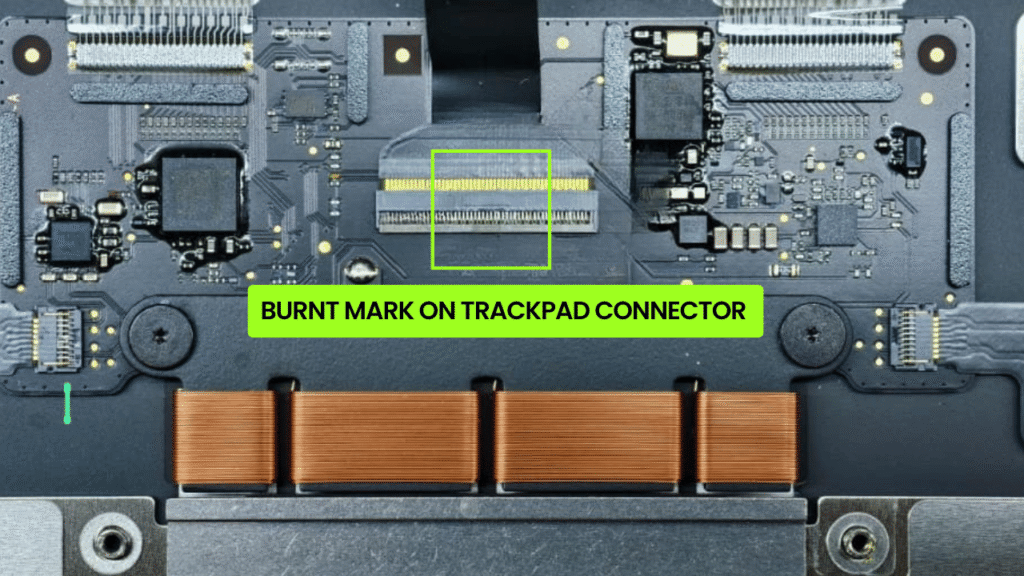
As responsible technicians, we refuse to quote blindly. It is entirely impossible to know the true extent of liquid damage over a text message. Did the liquid reach the liquid indicators on the logic board? Did it destroy the backlight fused circuit, short out the trackpad controller, or corrode the internal keyboard matrix?
Anyone who gives you a flat repair quote over the phone without opening the device is simply guessing or trying to lure you in with a low price, only to add on massive extra hidden fees later.
The Cleaning & Testing Baseline: RM350.00 to RM650.00
To give you a completely accurate, honest assessment, we must run the machine through our standard liquid decontamination protocol first. This baseline process ranges from RM350.00 to RM650.00 and involves:
Full Teardown: Dismantling every single shield, battery plate, and connector loop.
Ultrasonic Chemical Cleaning: Placing the affected logic board into an industrial ultrasonic tank filled with specialized chemical solvents. High frequency sound waves blast away micro corrosion, algae, and mold from underneath the micro chips.
The Specialized Baking Cycle: The board is placed into a specialized drying oven that runs continuously for 24 to 48 hours to completely draw out every microscopic layer of moisture trapped between the multi layered PCB structure.
Only after the machine is fully cleaned and dried can we safely apply power, test the individual sub assemblies, and determine exactly what is working and what is not.
Official Store Modular Waste vs. Targeted Micro Soldering
If you take a liquid damaged Mac to an official service centre, they do not perform component level cleaning. Their internal protocols only allow for complete hardware replacements.
They will present you with an expensive quote for a full logic board replacement. If they install the board and find the screen has a short circuit, they will add a screen replacement fee. If they find the keyboard is sticky, they will force a bottom casing swap (which includes the keyboard, battery, trackpad, and speakers). The total bill will easily more than the price of a brand new machine.
The Timeline Truth: Why True Quality Takes 3 Days
You might see some advertisements promising a “2 Hour Express Water Damage Fix.” Let us be completely straightforward: that is an incredibly irresponsible, half baked shortcut.
We have heard absolute horror stories from clients who visited shops where technicians simply wiped down the outer surface of the board with a tissue, blasted it with a blower for few minutes, and handed it back. That trapped, hidden moisture will cause the internal layers of the logic board to short circuit and rot within a few weeks.
Our absolute fastest turnaround time for a liquid damage case is 3 working days. Re-building a highly sensitive circuit board cannot be rushed. It requires patience to let the professional oven drying equipment run its full 24 to 48-hour cycle to completely remove deep moisture. We do not do half baked jobs. We do things once, and we do them right.
Will the Repair Last?
A common worry is whether a liquid repair is just a temporary fix. To ensure total stability, every single Mac we restore undergoes an intense technical stress test. We push the processor (CPU) and memory (RAM) to their maximum operational loads for hours to verify thermal and power rail stability.
Backed by our strict No Fix, No Pay customer guarantee, our long term sustainability rate for patient clients is nearly 100%. If you let our team follow the proper repair flow, we will deliver the best, most logical outcome possible.
Frequently Asked Questions
If my MacBook can still turn on after a spill, do I still need to get it checked?
Yes, absolutely. It is highly common for a Mac to run normally for a few days after a liquid spill before suddenly going completely dead. This happens because corrosion is a slow chemical process. As electricity passes through the damp copper traces, galvanic oxidation steadily eats away at the micro-soldered pins. Getting it cleaned immediately removes the liquid residue before permanent circuit rot sets in.

Topics That Might Interest You
Want a closer look at our local technical workflows? Review our neighborhood breakdown on macbook water damage repair subang jaya selangor to see how our experience technicians deal with water damaged.
Curious about who is actually opening up your Mac hardware? Read our detail guide detailing who actually repairs your macbook to separate suppliers from middlemen shops.
Want absolute clarity on how repair service invoices are calculated? Check out our article explaining how we set macbook repair cost directly from us.

About The Author
This article is written with input from Kevin, who has 18 years of hands on experience in MacBook repair, logic board inspection and Apple device care. Kevin and the OrangeFix team are also daily Apple product users, so every guide is written from real repair experience and practical user understanding.
Kevin has shared his repair knowledge through a CityPlus FM radio interview and has also been featured twice in The Star for gadget care, water damage advice and digital decluttering tips.
OrangeFix is an independent repair centre in SS15, Subang Jaya.