


Table of Contents
ToggleMicrosoft 365 & Google Drive Blocked on Your Old Mac?
OS Ventura Requirement Nobody Warned You About
If you woke up, opened your MacBook, and tried to save a spreadsheet or sync your cloud drive only to be hit by a wall of update errors, you are definitely not alone. A huge wave of users are facing a massive software roadblock.
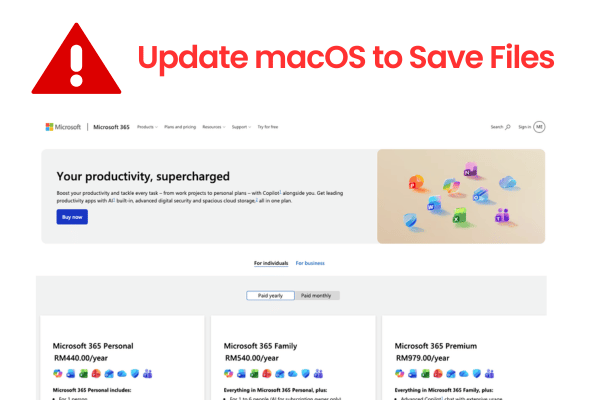
Microsoft 365 (including Word, Excel, PowerPoint, and Outlook) and the official Google Drive desktop app have officially changed their minimum OS operational requirement. They now require your Mac to be running at least macOS 13 Ventura.
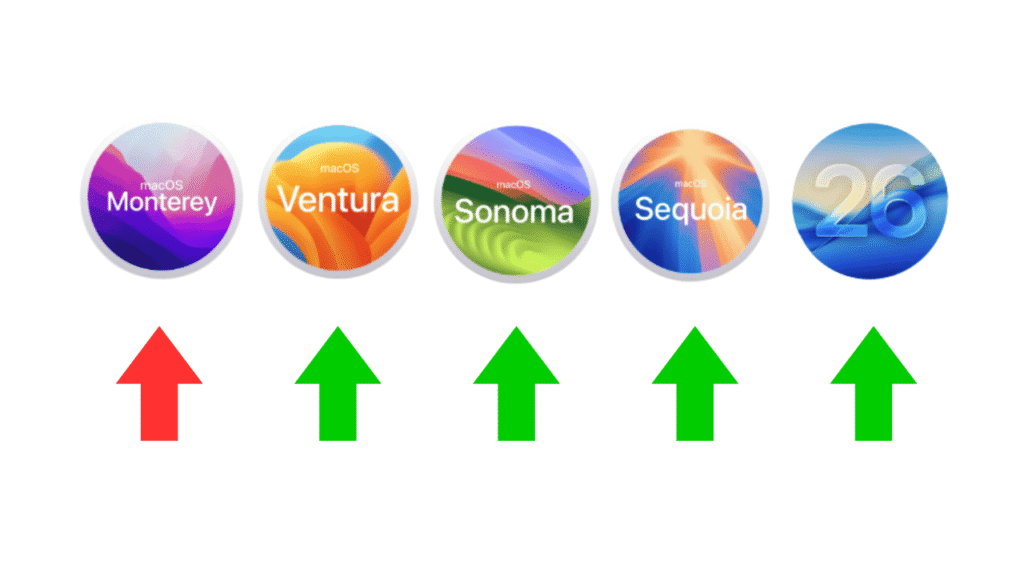
If your mac is stuck on macOS 12 Monterey or older, your Google Drive app will completely stop syncing uploads or downloads, and Microsoft 365 will block you from saving your active work files.
Those software giants don’t advertise these cut off, they just push the update button and let people deal with the panic. Let us look at what is actually happening, why your machine is blocked, and the real choices you have to fix this without dropping thousands of Ringgit on a brand new Mac.
The 2 Main Solutions: Software Updates vs. System Limitations
Depending on the exact year and model configuration on your Mac, you fall into one of two categories:
Path 1: The Software Update Route (2017 Models & Newer)
If you are running a 2017 MacBook Pro, a 2017 iMac, or anything newer, your machine natively supports the upgrade to macOS 13 Ventura. You can head straight into your System Settings and start the official Apple download.
A quick reality check: A lot of people assume software updates are completely risk free. A common mistake is clicking “Update” while your storage is almost full or your home Wi-Fi is unstable. If the connection drops or the system hits a disk error, the update can crash, corrupting your operating system and locking away your data. Always run a full external backup before you update.
A Small Technical Correction: Many guides claim that all 2017 Macs can update automatically. That is actually incorrect. Apple has cut off the 2017 MacBook Air from native OS Ventura support. If you are holding a 2017 MacBook Air, you are grouped into the next path along with the vintage machines.
Path 2: The “Apple Wants You to Buy a New Mac”
If your MacBook Air, MacBook Pro, or iMac is from 2015 or earlier, Apple has officially reached the end of its system support cycle for your Mac. The maximum supported operating system they will ever allow you to download is macOS 12 Monterey. Their strategy expects you to accept that your perfectly fine, working laptop is now obsolete, forcing you to buy a new machine.
The OpenCore Solution: Prolonging Old Mac for 1 to 2 Years
We have an engineering workaround for older machines that completely bypasses software update blocks. It relies on an open-source patcher code known as OpenCore Legacy Patcher (OCLP).
OpenCore acts as a digital translator. It tells the modern macOS installer into thinking your 2015 or 2013 Intel machine is actually a supported current OS version, allowing you to load macOS 13 Ventura, and even the newer releases like macOS 26 Tahoe onto vintage label Mac. Once OpenCore is installed and Ventura is up and running, your Microsoft 365 subscription, Google Drive sync loops, and modern browser versions of Safari and Chrome will function normally.
What Nobody Tells You About OpenCore
OpenCore is an incredible tool, but if a shop tells you it is a flawless, magic fix with zero downsides, they are lying to you just to take your money. We believe in telling our clients the exact trade off:
Mandatory Data Wipe: Setting up OpenCore requires a complete format (erase everything). We have to fully format your storage, reset the core system partition, install the new macOS version, and then apply the patch. You cannot simply layer it over your current setup without erasing anything.
Hardware Limits (Don’t Patch an 8GB Mac): We strictly do not recommend running OpenCore if your Mac only has 4GB or 8GB of RAM, or if you have less than 100GB of free storage space. Modern macOS versions are incredibly resource (memory) heavy. Forcing them onto weak hardware will turn your Mac into a slow, unresponsive machine that constantly overheats and drains your battery fast. We only recommend this patch if your Mac has at least 16GB of RAM and a fast 256GB+ SSD.
App Blacklist: OpenCore is a patch, not native factory code. Certain applications, most notably Adobe Creative Suite apps and the desktop client versions of WhatsApp Desktop, always run into stability issues, display glitches, or outright refuses to launch on patched legacy hardware.
Know Your Workload: If you are a basic office worker who just needs to update Excel spreadsheets, reply to emails, check web browsers, and sync files, an OpenCore patch to Ventura is a fantastic, budget friendly way to extend your Mac usability for another 1 to 2 years. But if you are a programmer, a heavy video editor, or an active AI power user constantly running massive browser prompts through ChatGPT, Gemini, or Claude, OpenCore is not for you. The patched graphics drivers will feel laggy, sluggish, and incredibly frustrating under heavy loads.
Frequently Asked Questions
Why did Microsoft and Google suddenly drop support for macOS 12 Monterey?
Software developers align their support life cycles with macOS maintenance framework. Since Apple typically limits active security patches to the three most recent major macOS releases, older platforms like macOS 12 Monterey are classified as end of life, prompting 3rd party vendors to cut off support to minimize security vulnerabilities.
Is using the OpenCore patcher illegal or a violation of Apple’s security terms?
OpenCore Legacy Patcher is an open source community engineering project and is entirely free to use. While it does not violate any local laws, it is completely unsupported by official Apple channels. Running a patched operating system means you accept that official service centres will refuse to troubleshoot any software errors on your machine.
What happens if I choose to ignore the update errors and keep using my old app versions?
While your offline local applications may continue to open, your cloud reliant features will stop working. Google Drive will refuse to authenticate with its server, stopping all automated file syncs. Microsoft 365 will regularly show licensing sync errors and pause cloud saving features, leaving your remote data out of sync and vulnerable to local hardware loss.

Topics That Might Interest You
Stuck mid way through a OS installation or facing system restart? Read our diagnostic breakdown on a macbook macos update problem malaysia to fix corrupted software errors safely.
Struggling to decide if you should repair your older mac or just bite the bullet and buy a new one? Check out our honest, straight to the point cost guide on whether to repair macbook or buy new malaysia.
Did a failed system update completely crash your operating system and lock up your storage? Learn how our data first logic board repair save files when your macbook broken but need files malaysia computer goes completely dark.

About The Author
This article is written with input from Kevin, who has 18 years of hands on experience in MacBook repair, logic board inspection and Apple device care. Kevin and the OrangeFix team are also daily Apple product users, so every guide is written from real repair experience and practical user understanding.
Kevin has shared his repair knowledge through a CityPlus FM radio interview and has also been featured twice in The Star for gadget care, water damage advice and digital decluttering tips.
OrangeFix is an independent repair centre in SS15, Subang Jaya.