


Table of Contents
ToggleWWDC 2026, What MacBook Users Should Know Before Updating?
WWDC 2026 just happened, and Apple users are excited again.
- Siri AI.
- Apple Intelligence updates.
- macOS changes.
- iOS and iPadOS features.
- Design refinements.
New things that make many users feel like updating immediately. But please hold first.
The version released right after WWDC is usually developer beta. Beta means the software is still under testing. It is not meant for normal users who depend on their MacBook, iPhone or iPad every day for work, study, business, customer files or important personal data.
Exciting, yes. Stable for everyone, not yet.
What Apple Announced At WWDC 2026?
WWDC is Apple yearly developer event where Apple previews upcoming software and platform updates.
For normal users, WWDC 2026 matters because it gives us an early look at what will affect iPhone, iPad, MacBook, Apple Watch and other Apple devices later this year.
The main talking points are Siri AI, Apple Intelligence updates, design improvements, better app features, child safety updates and system changes across Apple platforms.
This is why you should not assume every new feature will appear on every device immediately.
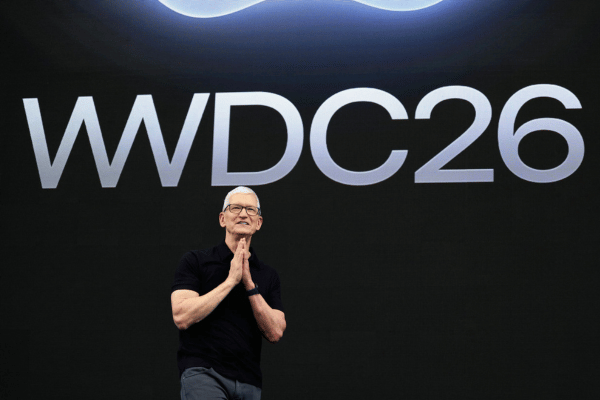
Tim Cook Last WWDC As Apple CEO
WWDC 2026 is also special for another reason. This is expected to be Tim Cook last WWDC as Apple CEO.
Apple announced that Tim Cook will become Executive Chairman, while John Ternus will become Apple CEO from 1 September 2026.
For normal users, your MacBook, iPhone or iPad will not suddenly change overnight because of a CEO change.
But this is still a big Apple moment. Tim Cook became Apple CEO in 2011 after Steve Jobs. That was not an easy position. Many people wondered whether Apple could still grow, innovate and stay relevant after Steve Jobs.
Looking back, Tim Cook deserves proper credit. Under Tim Cook, Apple grew massively as a global company. Apple Watch became one of the most recognised smartwatches. AirPods became part of daily life for many users. Apple Services grew strongly through iCloud, Apple Pay, Apple Music, Apple TV and App Store. Apple silicon changed the MacBook experience with better performance, better battery life and lower heat compared to many older Intel models.
Apple has also been criticised for moving slower than competitors in some AI areas. But overall, Tim Cook helped Apple become more stable, more global and more powerful.
Now, John Ternus will take over from the hardware engineering side. That makes the next chapter interesting because many users are waiting to see what Apple will do next with MacBook, iPhone, iPad, Apple silicon, AI hardware, repairability, battery life and future product design.
In simple words, Tim Cook made Apple stronger. John Ternus now needs to make Apple feel exciting again.
What MacBook Users Should Watch?
For MacBook users, the most important question is not just what is new. The real question is, will your MacBook support it properly?
New macOS updates usually bring design changes, app updates, security improvements and new features. But older Macs may not receive every feature.
Apple Intelligence features can also depend on hardware support, language support and region availability.
If you are using an Apple silicon MacBook, such as M1, M2, M3, M4 or newer, you are in a better position for newer AI related features.
If you are using an older Intel MacBook, you should be more careful. Even if your Mac still works well, the newest macOS features may slowly move towards Apple silicon models.
That does not mean your Intel MacBook suddenly becomes useless. It simply means you should check compatibility before updating or planning your next MacBook purchase.
Siri AI Is The Big Exciting Part
Siri AI is one of the biggest WWDC 2026 talking points. For years, many users felt Siri was not as useful as it should be.
Sometimes you ask one thing, Siri answers another thing. So if Apple can make Siri AI more helpful, more natural and better connected to daily tasks, this could be a big improvement for normal users.
For MacBook users, a better Siri may help with writing, searching, reminders, app actions, file related tasks and daily productivity.
For iPhone and iPad users, it may make everyday tasks easier, especially when combined with Apple Intelligence. But do not expect every feature to work perfectly from day one.
AI features often roll out slowly, and some may only support selected languages, selected regions and selected devices first.
Why You Should Not Install Developer Beta Yet?
Developer beta is for developers to test apps. It is not for normal daily users who need a stable device.
Beta software may cause app crashes, battery drain, WiFi issues, Bluetooth issues, printer problems, external monitor problems, slow performance, login issues, random restarts or system instability.
For MacBook users, this can become a real headache. Imagine your MacBook is used for assignment, video editing, coding, accounts, business work or customer documents.
You install beta because the new features look exciting. Then your important app cannot open.
- MacBook keeps restarting.
- External display does not work properly.
- System becomes unstable and needs to be erased.
If your backup is not complete, your data may be gone. That is not fun anymore, but pain.
OrangeFix Advice For MacBook Users
If your MacBook is used for work, study or business, do not install developer beta on your main device.
- Wait for the official release.
- Back up first.
- Check app compatibility.
- Make sure your important files are safe.
For older Intel MacBook users, do not rush. Check compatibility before updating. For Apple silicon MacBook users, the future looks more exciting, but stability still matters more than trying new features early.
Frequently Asked Questions:
Did WWDC 2026 just happen?
Yes. WWDC 2026 happened on 8 June 2026, and Apple previewed new software and platform updates for users and developers.
Is this Tim Cook last WWDC as Apple CEO?
Yes, this is expected to be Tim Cook last WWDC as Apple CEO. Apple announced that John Ternus will become Apple CEO from 1 September 2026, while Tim Cook will become Executive Chairman.
Who is John Ternus?
John Ternus is Apple Senior Vice President of Hardware Engineering. He has been involved in major Apple hardware work across products such as Mac, iPad, iPhone, Apple Watch and AirPods.
Should I install the developer beta now?
No, not on your main device. Developer beta is still testing software and may cause crashes, battery drain, app issues or system instability.
Is public beta safe to install?
Public beta is usually more stable than developer beta, but it is still beta. If your MacBook, iPhone or iPad is important for work or study, wait for the official release.
What should I do before updating macOS?
Back up your MacBook first. Use Time Machine or another proper backup method before any major update.
Can beta software cause data loss?
Yes, it can happen if the system becomes unstable and needs to be erased or restored. Data loss is possible if you do not have a proper backup.
Can OrangeFix help if my MacBook has issues after beta update?
OrangeFix can inspect selected MacBook issues. However, beta related software problems may require reinstalling macOS, and data may be lost if there is no backup.

About The Author
This article is written with input from Kevin, who has 18 years of hands on experience in MacBook repair, logic board inspection and Apple device care. Kevin and the OrangeFix team are also daily Apple product users, so every guide is written from real repair experience and practical user understanding.
Kevin has shared his repair knowledge through a CityPlus FM radio interview and has also been featured twice in The Star for gadget care, water damage advice and digital decluttering tips.
OrangeFix is an independent repair centre in SS15, Subang Jaya, and is not affiliated with Apple.