


Table of Contents
ToggleRepair MacBook Air M1 vs MacBook Neo
The Complete Real World Comparison For Subang Jaya Users
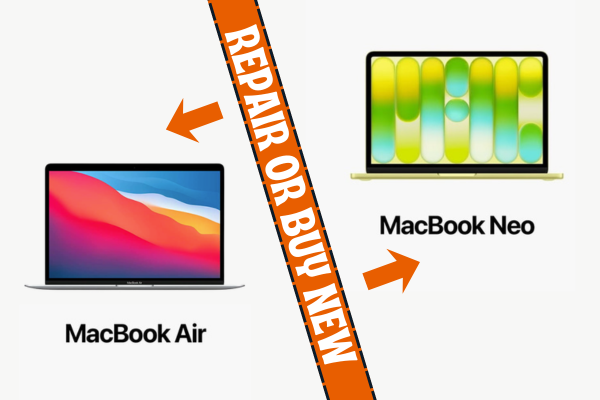
Apple shaking up the entry level market with the release of the new MacBook Neo starting from RM2499.00 (student price RM2099.00) has left many Mac owners with a massive decision to make. If you currently own a classic MacBook Air M1 that has suddenly suffered a cracked display panel or a dead battery, you are likely standing at a crossroads.
Should you bring your trusted M1 machine down to us for an express same day repair, or should you drop your cash on the shiny new budget option from the official store?
On paper, buying a brand new machine sounds like the obvious choice. However, when you dive deep into the actual technical specifications, hardware features, and daily multi tasking performance, the reality is entirely different. Let us compare these two devices from a real world user perspective so you can spend your money wisely.
The Simple Breakdown: Speed and Multi Tasking Explained For Everyone
To understand how your existing MacBook Air M1 compares to the new MacBook Neo, look at what powers them.
The MacBook Air M1 uses a full computer processor designed for sustained heavy workflows. It functions like a heavy duty commercial delivery van. It has a wider engine that handles multiple heavy items at the exact same time without slowing down.
The new MacBook Neo is powered by the A18 Pro chip, which is essentially a modified premium smartphone processor. It behaves like a fast, light courier motorcycle. It is incredibly quick at executing a single fast delivery, but it gets overload much faster if you try to pile massive, heavy duty on top of it.
For simple daily tasks like web browsing, watching video streams, or typing up documents, both machines will feel completely fast. However, the moment you open multiple apps at once, the older M1 machine shows its superior architecture.
Customer Workflows Perspectives
The Student Perspective
-
The Dilemma: You want a reliable daily Mac for campus lectures, research projects, and long study sessions at cafes around Subang Jaya.
-
The Real Data: The new MacBook Neo has a low starting price of RM2499.00 with student price at RM2099.00, which looks highly attractive for student budgets. However, to achieve that low price, Apple stripped away essential hardware comfort features. The base 256GB MacBook Neo does not include a backlit keyboard, no Touch ID security, and uses a standard mechanical trackpad instead of a haptic one.
-
The OrangeFix Verdict: Your existing MacBook Air M1 contains a premium backlit Magic Keyboard for typing in dark lecture halls, a built in Touch ID sensor for instant secure logins, and a premium haptic Force Touch trackpad. Repairing your M1 screen or battery at our shop completely restores a much more luxurious, high tier user experience for a fraction of the cost of buying the stripped down Neo.
The Programmer and Developer Perspective
-
The Dilemma: You compile local codebases, run docker containers, and manage multiple virtual server environments simultaneously.
-
The Real Data: This is where the core architecture differences matter significantly. The MacBook Air M1 features an 8 core processor with 4 high performance cores and 4 efficiency cores, backed by a memory bandwidth of 68 GB per second. The new MacBook Neo only features a 6 core processor with 2 high performance cores and 4 efficiency cores, running on a tighter 60 GB per second memory bandwidth limit.
-
The OrangeFix Verdict: For raw compiling power and handling multiple virtual environments, the older M1 machine actually outperforms the new MacBook Neo because it has double the amount of high performance cores (4 cores versus 2 cores). If you swap your M1 for a base Neo, your code compilation times will actually slow down under heavy multi core loads. Repairing your M1 logic board or screen keeps a superior coding machine on your desk.
The Graphic Illustrator and Photoshop User Perspective
-
The Dilemma: You work with high resolution vector paths in Illustrator, edit raw photographic layers in Photoshop, and require total colour accuracy.
-
The Real Data: The MacBook Air M1 display panel naturally supports the professional P3 wide colour gamut with exceptional accuracy. While the new MacBook Neo features a bright 13 inch Liquid Retina display outputting 500 nits, its graphic processing power is driven by a smaller 5 core graphics engine designed for mobile environments.
-
The OrangeFix Verdict: Because graphic rendering relies heavily on sustained system bandwidth and processing cores, the M1 architecture provides a more stable, time tested canvas for layered design files. A quick screen replacement at our Subang Jaya shop fully restores your professional P3 colour workspace to perfection, saving you from downgrading your processing power.
Protect Your Wallet and Your Data
Before you make a sudden decision to replace your machine, look at the absolute facts. Your MacBook Air M1 is not an outdated computer, it is a high tier premium machine that still beats the brand new MacBook Neo in multiple core processing workflows, typing comfort, and biometric security.
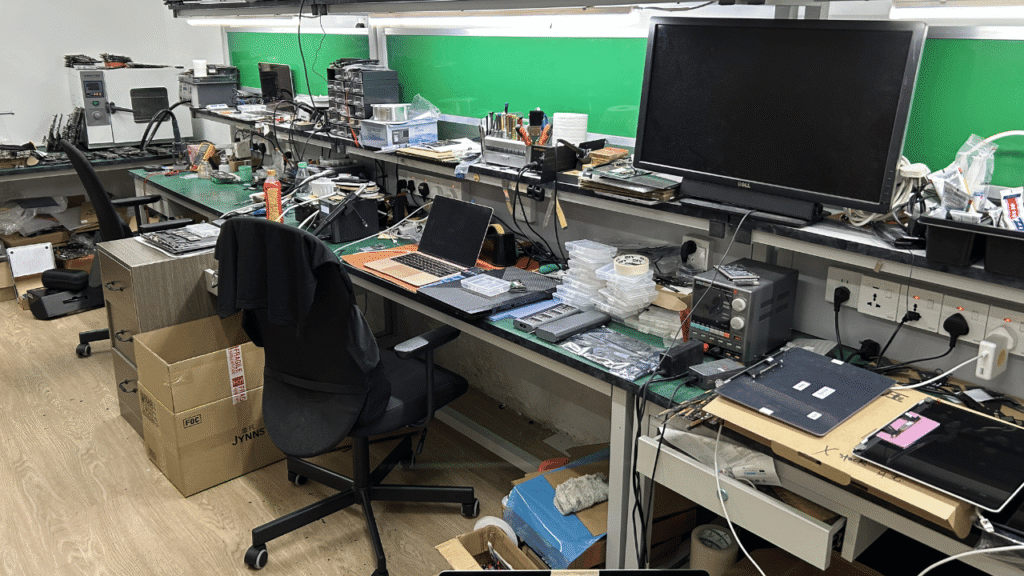
We look at your Mac like a precious diamond. Our team at SS15 does not run a rushed assembly line. We perform an open, thorough check from the inside out to ensure your M1 is completely healthy before carrying out a precise screen or battery swap.
We work daily while you rest, keeping our counter fully operational throughout Saturday and Sunday so you can drop off your Mac on your rest day and have it back in your hands within few hours.
Frequently Asked Questions:
Q1: Does the newer MacBook Neo run faster than the older MacBook Air M1?
Not for heavy multi tasking workflows. The MacBook Neo uses an A18 Pro chip derived from mobile smartphone platforms, featuring only 2 high performance cores. The MacBook Air M1 uses a full computer architecture with 4 high performance cores, meaning the M1 handles heavy multi core tasks like coding and graphic rendering much better.
Q2: What features will I lose if I switch from my MacBook Air M1 to the base MacBook Neo?
If you switch to the base 256GB MacBook Neo, you will lose the backlit keyboard feature, the Touch ID fingerprint sensor, and the premium haptic Force Touch trackpad. The MacBook Air M1 includes all of these premium tier features as standard hardware on every single model.
Q3: How long does a screen replacement take for a MacBook Air M1 at OrangeFix?
Our average turnaround time for a complete display panel assembly replacement is just 2 hours. Because we operate as a direct component supply layer and maintain many ready stock on our shelves in SS15 Subang Jaya, we can complete the work on the spot.
OrangeFix is an independent repair centre and is not affiliated with Apple.

Topics That Might Interest You
• Can MacBook Be Repaired Outside By Others: Third Party Repair Facts Wondering if it is safe to repair your Mac outside of official service centres? Read our honest guide on independent 3rd party repairs, data privacy, and how to spot a reliable technical workbench.
• Best MacBook Repair For Sunway Students: Express Same Day Support Have an urgent assignment deadline looming at university? Find out why college students around Sunway and Subang Jaya prefer our repair place to rescue their broken screens and dead batteries quickly.

About The Author
This article is written with input from Kevin, who has 18 years of hands on experience in MacBook repair, logic board inspection and Apple device care. Kevin and the OrangeFix team are also daily Apple product users, so every guide is written from real repair experience and practical user understanding.
Kevin has shared his repair knowledge through a CityPlus FM radio interview and has also been featured twice in The Star for gadget care, water damage advice and digital decluttering tips.
OrangeFix is an independent repair centre in SS15, Subang Jaya.