


Table of Contents
ToggleMacBook Wont Turn On in Subang Jaya, What To Check First?
A MacBook that wont turn on does not always mean the logic board is gone.
The issue may be as simple as a weak charger, faulty cable, drained battery, or USB C charging port problem. In other cases, it may involve the display, firmware, liquid damage, power line, or logic board.
OrangeFix helps users check the real cause before confirming the repair direction, especially when the MacBook contains important data or is needed urgently for work, study, business, or daily use.
Apple also recommends checking power connection, pressing and holding the power button, and unplugging accessories when a Mac does not turn on.
Common Reasons A MacBook Wont Turn On:
A no power MacBook can fail for many different reasons. Some are simple, while others need proper inspection. Common causes include:
- Battery too weak, fully drained, or faulty.
- Charger or USB C cable not working properly.
Display issue, where the MacBook is on but the screen stays black. - Firmware issue, especially on Apple Silicon models.
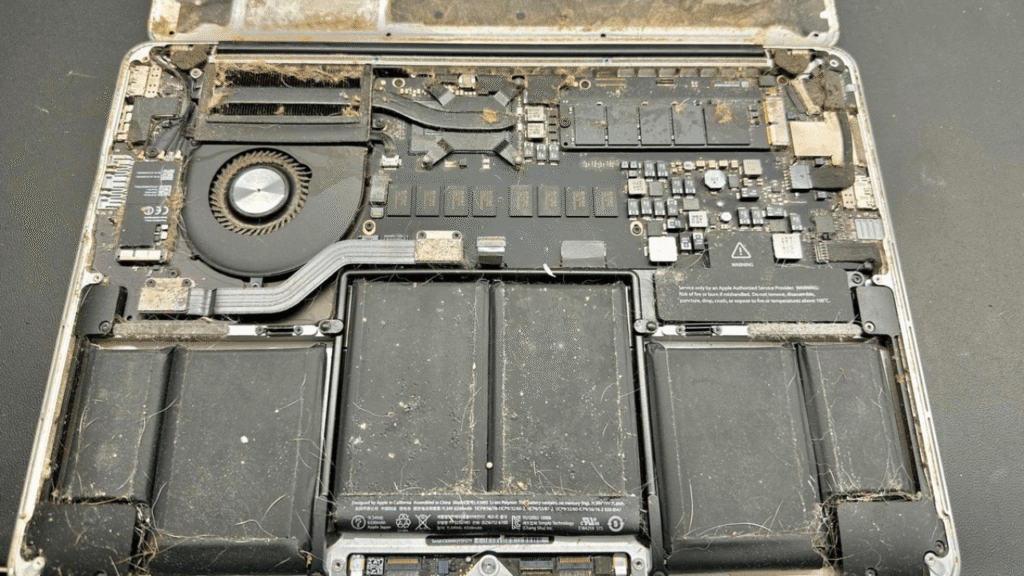
- Liquid damage, corrosion, or previous spill history.
- Logic board power line fault.
- USB C charging port unable to receive power.
Why You Should Not Panic First?
When a MacBook suddenly cannot turn on, most users immediately fear the worst. But a “dead” MacBook does not always mean the logic board is fully damaged.
A weak or unsuitable charger may stop the MacBook from receiving enough power. A faulty USB C cable can create the same symptom, especially if the cable is damaged or not rated properly. If the battery is deeply drained, the MacBook may need time and the correct charger before it responds.
There are also cases where the MacBook is running, but the screen stays black because of display, backlight, or screen related failure. For M series MacBooks, firmware or startup recovery issues can also make the device appear unresponsive.
If the logic board is involved, it still does not automatically mean full board replacement. Some power line faults can be inspected and restored, depending on the damage.
So the first step is not to guess. The first step is to check properly.
What You Can Check Before Sending In?
Before bringing your MacBook to OrangeFix, try these checks first:
- Connect a known working Apple charger and USB C cable.
- Remove USB hubs, external drives, monitors, and other accessories.
- Try another wall power socket.
- Press and hold the power button for about 10 seconds, then press it again normally.
- Look for small signs of response, such as trackpad click, fan sound, keyboard light, charging sound, or screen glow.
- Shine a light at the screen to see whether there is a very dim image.
- Stop testing if there was water spill, burnt smell, unusual heat, or visible port damage.
If there is liquid damage history, do not keep trying to power it on. That can make the damage worse.
Important Notes For M1, M2, M3… M Series MacBook Models.
M series MacBooks behave differently from older Intel models.
Older Intel MacBooks had steps like SMC reset and NVRAM reset. For Apple Silicon models, the troubleshooting direction is different. Some startup or no power cases may involve firmware response, power delivery, charging behaviour, or internal board communication.
In certain M series cases, a MacBook may need firmware revive or restore using another Mac. This is usually considered when the Mac fails after an update, cannot start properly, or shows a recovery related issue.
That is why modern MacBook no power cases should not be judged too quickly.
A proper check should look at the model, charging response, startup behaviour, display output, firmware status, and internal power condition before deciding the repair direction.
OrangeFix Solution For MacBook No Power Cases.
OrangeFix does not treat every no power case as automatic logic board replacement. The repair direction depends on where the failure starts.
For example, if the issue is caused by a charger, cable, USB C port, or battery, the repair path can be very different from a logic board power line issue. If the MacBook has liquid damage history, the internal condition must be checked before any safe repair direction can be confirmed.
Data also changes the priority. If important files are inside and there is no backup, tell us before repair begins. A data first approach may be more suitable than a simple parts replacement direction.
The goal is clear:
- Find the real cause.
- Explain the repair direction.
- Avoid unnecessary replacement where possible.
- Increase the chance of saving the MacBook and its data.
Frequently Asked Questions:
Does a MacBook that wont turn on always mean logic board failure?
No. A MacBook no power issue can come from the charger, cable, battery, USB C port, screen, firmware, liquid damage, or logic board power line. The correct repair direction can only be confirmed after proper checking.
Why is my MacBook screen black but the MacBook seems to be on?
This may happen when the MacBook is running but the display, backlight, screen cable, or related display circuit has an issue. In this case, the device may show signs of life such as sound, charging response, keyboard light, or trackpad click.
Can an M Series MacBook be revived if it wont turn on?
Apple Silicon MacBooks may need firmware revive or restore if the issue is related to firmware or startup recovery. If the issue is hardware related, further checking is needed to confirm whether the fault is from charging, power delivery, or logic board side.
Can MacBook no power repair be done on the same day?
Some direct faults may be repairable on the same day, depending on the model, condition, stock availability, and fault level. More complex board, firmware, or liquid damage cases may need more time for proper inspection.
Why did my MacBook work yesterday but suddenly cannot turn on today?
In some faults get worse over time. Battery issues, charger problems, USB C port damage, firmware errors, corrosion, and logic board power faults can appear suddenly even if the MacBook seemed normal earlier.