


Table of Contents
ToggleMacBook Air Storage Upgrade Malaysia
Bought a MacBook Air with 256GB storage and now it is almost full? You are not alone.
Many MacBook Air users bought the 256GB model because it was more affordable at the time. After a few months or years, the MacBook still feels fast, the battery is still decent, the screen is still good, but the storage becomes the real problem.
Photos, videos, client files, coding projects, design files, Ai libraries, iPhone backups, apps, and macOS updates can fill up 256GB very quickly.
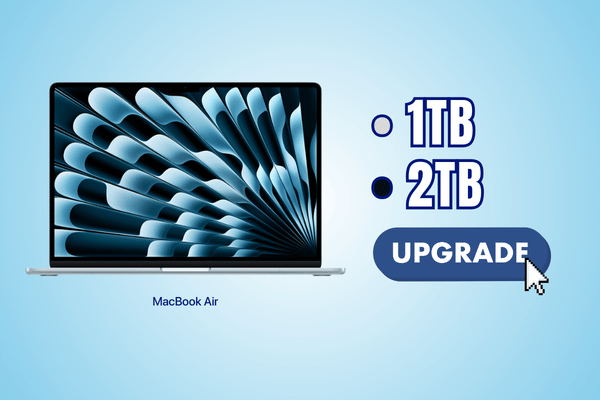
At OrangeFix, MacBook Air models with M1, M2, M3 and M4 processors can be upgraded to 1TB or 2TB storage, subject to device condition and proper checking.
This gives your MacBook Air more internal storage space without needing to buy a new Mac just because the storage is full.
Why MacBook Air 256GB Feels Too Small Now?
A 256GB MacBook Air can feel enough when it is new. But after daily use, the available space gets smaller very quickly.
- macOS needs space.
- Applications need space.
- System data grows over time.
- WhatsApp downloads, iPhone backups, browser files, photos, videos and work folders also keep building up.
Once the storage becomes too full, the MacBook Air may start to feel slower, apps may struggle to update, and macOS may keep warning you that the disk is almost full.
The MacBook itself may still be perfectly usable. The real problem is simply that the internal storage is no longer enough.
MacBook Air M1 To M4 Storage Upgrade To 1TB or 2TB
OrangeFix supports MacBook Air storage upgrades for M1, M2, M3 and M4 models. Most users upgrade from the original 256GB storage to either 1TB or 2TB.
1TB is suitable for users who want more space for documents, photos, applications, iPhone backups, light creative work and daily work files.
2TB is more suitable for designers, video editors, programmers, AI users, content creators and business users who need to keep more active files inside the MacBook Air.
The upgrade is done internally, so you do not need to rely on an external drive every day just to have enough space.
Turnaround Time For MacBook Air Storage Upgrade
For most suitable MacBook Air storage upgrade cases, turnaround can usually be completed by the next day or another day.
The exact timing depends on the MacBook Air model, storage size, device condition, backup size, data transfer time, testing process and parts availability.
If the MacBook has liquid damage, previous repair history, board level issue or unstable behaviour, more time may be needed for proper checking before the upgrade can proceed safely.
We prefer to complete the job properly instead of rushing a storage upgrade without checking the full device condition.
What Is Included In The Upgrade Service?
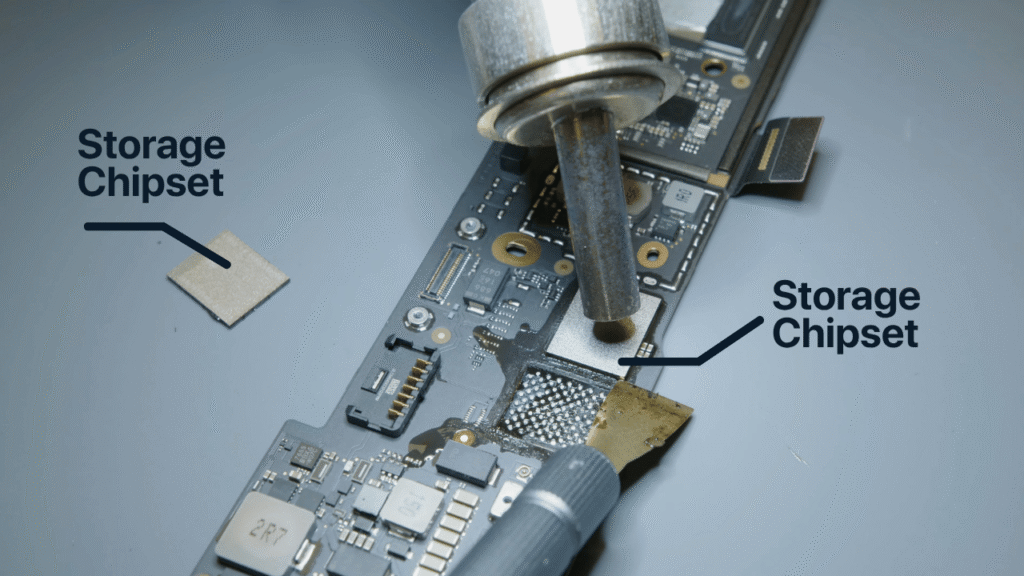
The MacBook Air storage upgrade service is not just changing the storage chip and handing the device back.
Our service includes data transfer, backup and restore, macOS preparation, full checking, dust cleaning, internal service and full MacBook Air hardware checking.
We also check important functions after the upgrade so the MacBook Air is ready for normal use again. This gives you a cleaner and safer upgrade experience, especially if your MacBook Air is your daily work machine.
Same Storage Chip Type For Proper Function And Speed
For MacBook Air M1 to M4 storage upgrades, we use the same storage chipset type to match the correct function and performance requirement of the MacBook Air.
The goal is simple. Your upgraded MacBook Air should behave like a proper internal storage configuration, not like a workaround using an external drive.
Speed, function and daily usage should remain consistent with the correct internal storage setup. This means you can continue using your MacBook Air normally for work, study, design, coding, editing and file storage.
1 Year Hardware Warranty
The upgraded storage hardware comes with 1 year warranty. This gives users more confidence, especially when upgrading a MacBook Air that is still fast enough for daily work but only limited by storage capacity.
Warranty coverage applies to the upgraded storage hardware, subject to normal warranty terms and device condition.
Physical damage, liquid damage, third party damage or unrelated board issues are not covered under storage hardware warranty.
Who Should Upgrade MacBook Air Storage?
This upgrade is suitable for people who still feel their MacBook Air is fast enough, but the storage space is no longer enough.
It is suitable if your MacBook Air still runs well, still handles your daily work, and does not feel worth replacing yet.
You should consider upgrading if your MacBook Air keeps showing storage full warning, cannot update macOS properly, cannot install new apps, cannot store work files, or depends too much on external drives.
Frequently Asked Questions:
Do I need to sign out of Apple ID before the storage upgrade?
Yes. For storage upgrade, you will need to sign out of your Apple ID before we proceed. This helps avoid activation lock, iCloud related issues, and setup interruption after macOS is reinstalled.
Do I need to back up my data before upgrading the storage?
Yes. We strongly recommend backing up your important data before the upgrade. Our service includes backup, data transfer and restore where possible, but having your own backup is always safer, especially if your files are important.
Will my MacBook Air be erased during the storage upgrade?
Yes. A storage upgrade requires refreshing the MacBook settings and reinstalling macOS. After the new storage is installed, we will prepare the system again and restore your data where possible.
Why do you need to reinstall macOS after the upgrade?
The storage is part of the internal system setup, so after upgrading to 1TB or 2TB, macOS needs to be freshly installed to make sure the MacBook Air runs properly, boots correctly, and is ready for normal use.
Can OrangeFix help transfer my data after reinstalling macOS?
Yes. Our MacBook Air storage upgrade service includes data transfer, backup and restore where possible. The time needed depends on your current storage condition, the amount of data, and whether the MacBook Air has any existing issue before the upgrade.

Conclusion
MacBook Air still fast, but 256GB storage not enough anymore?
OrangeFix can help upgrade selected MacBook Air M1 to M4 models to 1TB or 2TB internal storage, with data transfer, backup, restore, full checking, cleaning, service and 1 year hardware warranty.
Orange Fix Services is an independent repair provider built on two strong foundations, YP Mac 18 years of hands on Apple repair experience, and MacFix B2B parts supply network that supports many repair shops and dealers.
For customers, this means clearer diagnosis, stronger repair knowledge, and a more direct source for parts support.