


Table of Contents
ToggleMac mini Storage Upgrade Malaysia
The Mac mini is one of the best value desktop Macs, especially for users who already have a monitor, keyboard and workspace ready.
It is compact, quiet and powerful enough for many home offices, studios, small businesses, schools, creative teams and professional desk setups.
But there is one common problem. Many users bought the base model with 256GB storage first, then later realised the Mac mini is still fast enough, but the storage is no longer enough.
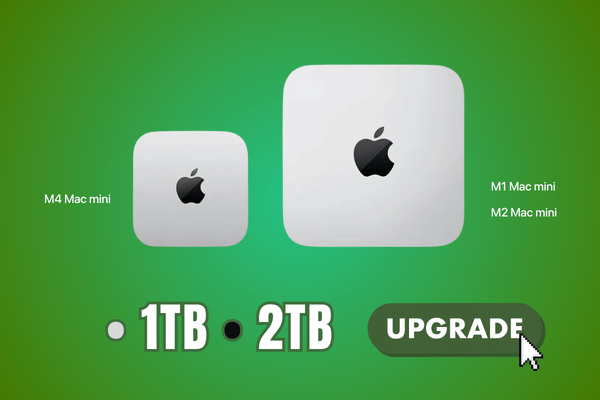
At OrangeFix, selected Mac mini M1, M2 and M4 base models can be upgraded to 1TB or 2TB internal storage, subject to model, device condition, parts availability and proper checking.
This gives users a more practical internal storage setup without needing to buy a new Mac mini just because the storage is full.
Why Mac mini 256GB Storage Becomes Too Small?
A 256GB Mac mini may feel enough at the beginning. After daily use, the space can disappear quickly.
macOS updates, apps, documents, iPhone backups, photo libraries, work folders, design files, video files, client folders, downloads and cache files can slowly take over the internal storage.
For some users, the Mac mini is still fast.
- Processor still feels good.
- Machine still runs quietly.
- Desk setup still works perfectly.
- But the storage keeps warning full.
That is when a storage upgrade becomes a smarter option than replacing the whole Mac mini.
Mac mini M1, M2 And M4 Storage Upgrade To 1TB Or 2TB
OrangeFix supports selected Mac mini storage upgrade services for M1, M2 and M4 base models.
For base models, the internal storage can be upgraded to 1TB or 2TB.
1TB is suitable for users who need more space for daily work, office files, applications, photos, iPhone backups, project folders and general storage.
2TB is better for users who handle larger working files, creative work, business documents, media files, client archives, school lab usage, studio files or office shared machines.
The exact upgrade option will be confirmed after checking your Mac mini model, current storage size and device condition.

Storage Drive Pricing May Vary
Mac mini storage upgrade pricing may change from time to time. This is because demand for suitable storage drives and chipsets can sometimes be higher than supply.
When demand outweighs supply, the cost of these drives may increase or fluctuate. Because of this, customers are encouraged to contact OrangeFix for the latest pricing before proceeding.
This helps us give you the most accurate price based on your Mac mini model, requested storage size, current parts availability and market condition.
What Is Included In The Upgrade Service?
The Mac mini storage upgrade service includes more than changing the internal storage.
Our service includes data transfer, backup and restore where possible, macOS reinstall, system setting refresh, full checking, internal dust cleaning, service and full Mac mini hardware checking.
Before the upgrade, the Apple ID must be signed out from the Mac mini. This helps prevent activation lock, iCloud setup interruption and ownership related issues after macOS is reinstalled.
After the storage upgrade, macOS will be freshly installed and the Mac mini will be prepared again for normal use.
Data Transfer, Backup And Restore
For many Mac mini users, the data inside can be more important than the machine itself.
This may include business files, accounting folders, family photos, design projects, client work, office documents, school files, media libraries or long term archive folders.
OrangeFix includes data transfer, backup and restore where possible as part of the upgrade service.
However, we still strongly recommend that customers keep their own backup before sending in the Mac mini. This is especially important if the Mac mini contains important work files, company files, client data or personal archives.

Turnaround Time For Mac mini Storage Upgrade
For suitable Mac mini storage upgrade cases, the job can usually be completed by the next day or another day.
The exact timing depends on the Mac mini model, upgrade capacity, amount of data, backup condition, macOS installation, testing time and parts availability.
If the Mac mini has previous repair history, liquid damage, boot issues, unstable behaviour or data transfer complications, more time may be needed. We prefer to complete the upgrade properly instead of rushing the process without full checking.
Same Storage Chipset Type For Proper Function And Speed
For Mac mini M1, M2 and M4 storage upgrades, OrangeFix uses the same storage chipset type to match the correct internal storage function and performance requirement of the Mac mini.
The goal is to keep the speed, boot behaviour, system function and daily usage consistent with a proper internal storage setup.
This is not an external drive workaround. It is an internal storage upgrade for users who want a cleaner and more reliable desk setup.
1 Year Hardware Warranty
The upgraded storage hardware comes with 1 year warranty.
This warranty applies to the upgraded storage hardware, subject to normal warranty terms and device condition.
Physical damage, liquid damage, third party damage, unrelated board issues, software issues, accidental damage, data loss or future damage caused by other faults are not covered under the storage hardware warranty.
Frequently Asked Questions:
Why does Mac mini storage upgrade pricing change?
Pricing may vary because suitable storage drives and chipsets can be affected by supply and demand. When demand outweighs supply, drive cost may change. Please contact OrangeFix for the latest pricing before proceeding.
Do I need to sign out of Apple ID before the upgrade?
Yes. Apple ID must be signed out before the storage upgrade. This helps avoid activation lock, iCloud setup interruption and ownership related setup issues after macOS is reinstalled.
Do I need to back up my data first?
Yes. We strongly recommend backing up your important data before the upgrade. OrangeFix includes backup, data transfer and restore where possible, but your own backup is always safer.
Is the storage speed the same after upgrade?
OrangeFix uses the same storage chipset type to match the correct internal storage function and performance requirement of the Mac mini. The goal is to keep speed, function and daily use consistent with a proper internal storage setup.
Is this available at Apple Authorised Service Centre?
Storage capacity is normally selected when buying a new Mac mini through Apple’s configuration options. OrangeFix provides an independent storage upgrade service for selected Mac mini models after purchase.

Conclusion
Mac mini still fast, but 256GB storage not enough anymore?
OrangeFix can help upgrade selected Mac mini M1, M2 and M4 base models to 1TB or 2TB internal storage. Service includes data transfer, backup, restore, macOS reinstall, full checking, internal cleaning and 1 year hardware warranty.
Orange Fix Services is an independent repair provider built on two strong foundations, YP Mac 18 years of hands on Apple repair experience, and MacFix B2B parts supply network that supports many repair shops and dealers.
For customers, this means clearer diagnosis, stronger repair knowledge, and a more direct source for parts support.