



Table of Contents
ToggleChange MacBook Battery Now In Subang Jaya
Need to change your MacBook battery now in Subang Jaya?
A weak MacBook battery can make your whole day messy. The MacBook may drain too fast, shut down suddenly, feel slightly hot, show Service Recommended, or only work properly when the charger is plugged in.
At OrangeFix, SS15, Subang Jaya, we provide MacBook battery checking and replacement for selected models, with ready stock support whenever available.
When Should You Change Your MacBook Battery?
You should consider changing the MacBook battery when the battery drains too fast, drops percentage suddenly, shuts down before reaching 0%, or cannot hold charge like before.
Another common sign is when the MacBook only works well while connected to the charger. Once unplugged, it becomes unstable or turns off.
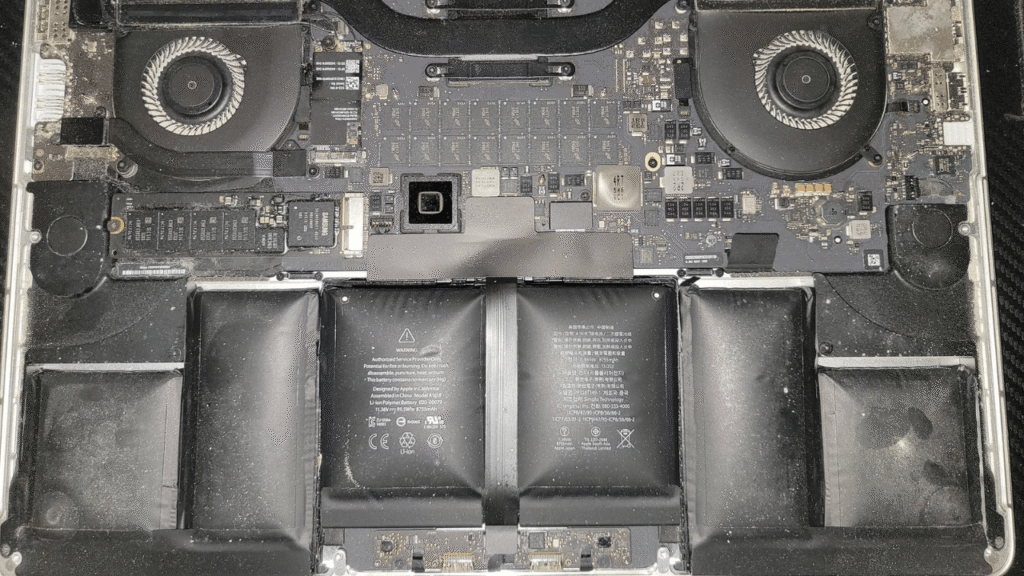
Some batteries may also swell over time. If the trackpad becomes hard to click, the bottom casing looks uneven, or the MacBook does not sit flat on the table, stop using it and get it checked.
What Does Service Recommended Mean?
Service Recommended means macOS has detected that the battery is no longer performing as expected.
It does not always mean the MacBook will fail immediately. Some customers can still use the MacBook for a while, especially if the battery is not swollen and the performance is still stable.
However, if the battery drains fast, shuts down suddenly, or feels unusually hot, it is better to check it soon. A warning is only useful if you act before the problem becomes worse.
Can MacBook Battery Be Changed Same Day?
For selected MacBook models, same day battery replacement may be possible when the battery is in stock and the MacBook passes checking.
Stock availability, model, battery condition and technician schedule will affect the actual turnaround time.
At OrangeFix, we keep ready stock support for many common MacBook battery models. This helps reduce unnecessary waiting time for customers around Subang Jaya, Sunway, USJ, Shah Alam, Klang and Petaling Jaya.
Still, we do not blindly replace the battery without checking first.
Why Proper Battery Checking Matters?
Not every charging issue is caused by the battery. Sometimes the problem comes from the charger, USB C port, charging cable, logic board, power circuit, liquid damage or software issue.
That is why we check first before recommending replacement. A proper battery check helps confirm whether the battery is really the main problem, or whether another fault is causing the MacBook to behave badly.
Changing the battery without checking may waste money and still not solve the issue.
What We Check Before Battery Replacement?
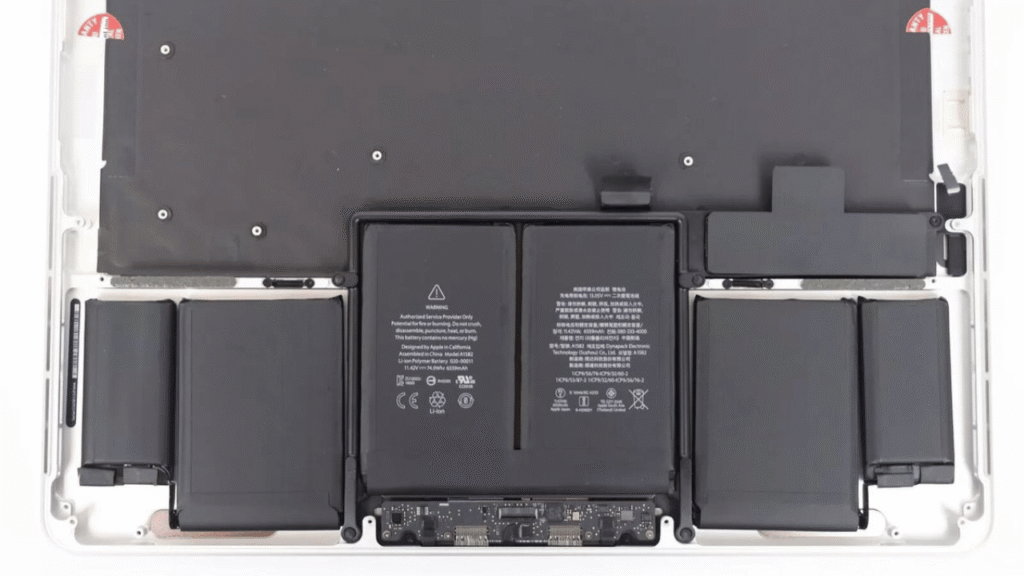
Before replacing the MacBook battery, we check the battery condition, charging function, power behaviour, trackpad area, casing condition and basic hardware response.
For selected cases, we may also check charge cycle, battery health, charging wattage, USB C port behaviour and whether the MacBook can discharge and recharge normally.
After replacement, we test charging, battery detection, startup, shutdown, sleep, wake and general usage stability. Battery replacement should not end the moment the battery is installed. Testing is part of the repair.
Why OrangeFix Is Convenient For Subang Jaya Users?
OrangeFix is located in SS15, Subang Jaya, making it convenient for customers from Sunway, USJ, Bandar Sunway, Puchong, Shah Alam, Klang, Kota Kemuning and Petaling Jaya.
For students around Taylor’s, Sunway College, Monash University, INTI and nearby areas, a weak MacBook battery can disturb assignment, class, design work, coding and presentation.
For working adults, battery failure can interrupt meetings, travel work and daily productivity.
If the battery model is available and the MacBook condition is straightforward, we will try to complete the replacement as fast as possible.
What To Prepare Before Sending Your MacBook?
Before sending in your MacBook, backup your important data if possible. Battery replacement usually does not require data removal, but any hardware repair still carries risk. A backup is always safer.
Bring your charger if you suspect charging issue. This helps us check whether the fault comes from the battery, charger, cable or MacBook itself.
If your MacBook battery is swollen, avoid pressing the casing, avoid using heavy load, and do not continue charging for long hours.
Why Change Battery Before It Gets Worse?
A MacBook battery problem is cheaper and easier to handle when it is caught early. Once the battery swells badly, pushes the trackpad, damages the casing or causes power instability, the repair may become more complicated.
Changing the battery at the right time helps protect the MacBook and keeps it usable for longer. For many customers, it is better to replace one weak battery than to wait until the MacBook becomes unusable.
Frequently Asked Questions:
Can I change my MacBook battery now at OrangeFix?
Yes, you can send your MacBook to OrangeFix, SS15, Subang Jaya for checking. Battery replacement depends on model, stock availability and MacBook condition.
How long does MacBook battery replacement take?
Selected models can be completed faster when stock is ready and the MacBook passes checking. Some cases may need longer testing.
Is Service Recommended urgent?
Not always. If the MacBook still works normally and the battery is not swollen, it may not be urgent. If it drains fast, shuts down or feels hot, get it checked.
Can a swollen MacBook battery be dangerous?
Yes. A swollen battery can press against the trackpad, casing and internal parts. Stop using it and send it for checking.
Will battery replacement erase my data?
Usually no, but you should still backup your data before any hardware repair. Hardware warranty does not cover data recovery.
Do you have MacBook battery ready stock?
OrangeFix keeps ready stock support for many common MacBook battery models. Please check with us for your exact model.
Can I walk in without appointment?
Yes, walk in is possible. For urgent battery replacement, contact us first so we can check timing and stock availability.
Why not just continue using the MacBook with charger?
You can do that for a while if the battery is stable. But if the battery is swollen or unstable, continuing to use it may cause more damage.
Do you check before replacing the battery?
Yes. We check first to confirm whether the issue is really battery related. Proper checks, proper repair.

About The Author
This article is written with input from Kevin, who has 18 years of hands on experience in MacBook repair, logic board inspection and Apple device care. Kevin and the OrangeFix team are also daily Apple product users, so every guide is written from real repair experience and practical user understanding.
Kevin has shared his repair knowledge through a CityPlus FM radio interview and has also been featured twice in The Star for gadget care, water damage advice and digital decluttering tips.
OrangeFix is an independent repair centre in SS15, Subang Jaya, and is not affiliated with Apple.