


Date: 28 August 2026
Table of Contents
ToggleSpilled Water on Your MacBook Touch ID Button? Why Waiting Will Destroy It Permanently
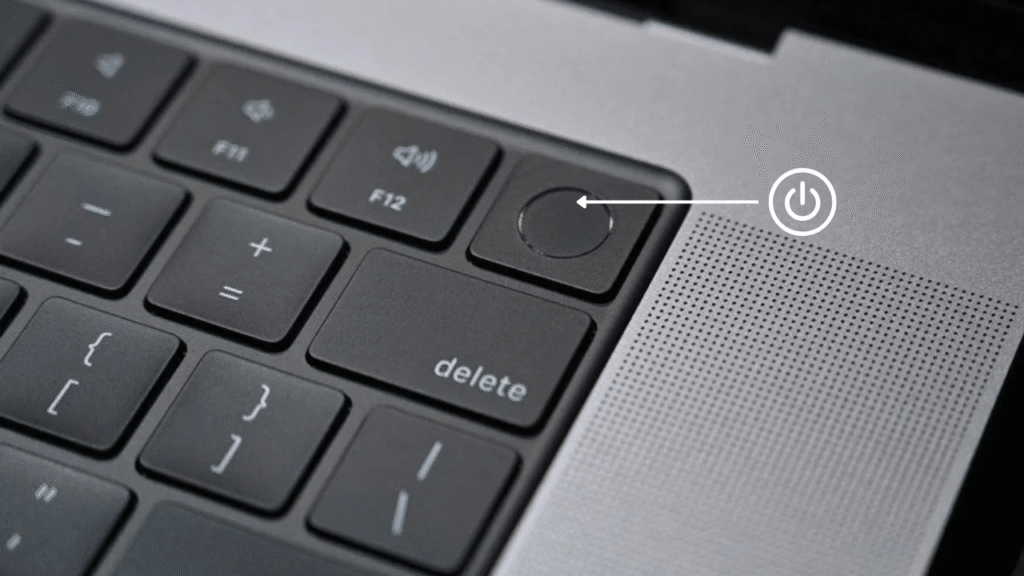
It happens in a split second: you are working at your desk, reach for a glass of water, coffee, or boba, and accidentally knock it over. The liquid splashes across the right side of your MacBook Air or MacBook Pro keyboard, directly on the Touch ID / Power button.
Many users quickly wipe the surface with a tissue, notice the Mac is still turning on or charging, and so breathe a sigh of relief.
That sigh of relief is a dangerous trap.
Of all the areas on a MacBook keyboard, the top right corner where the Touch ID button sits is one of the most critical and sensitive hardware locations. Understanding how Touch ID works, why it cannot be easily swapped like a normal key, and why delay leads to permanent feature loss will save your MacBook.
Why the Touch ID Button Is NOT Just a Normal Button
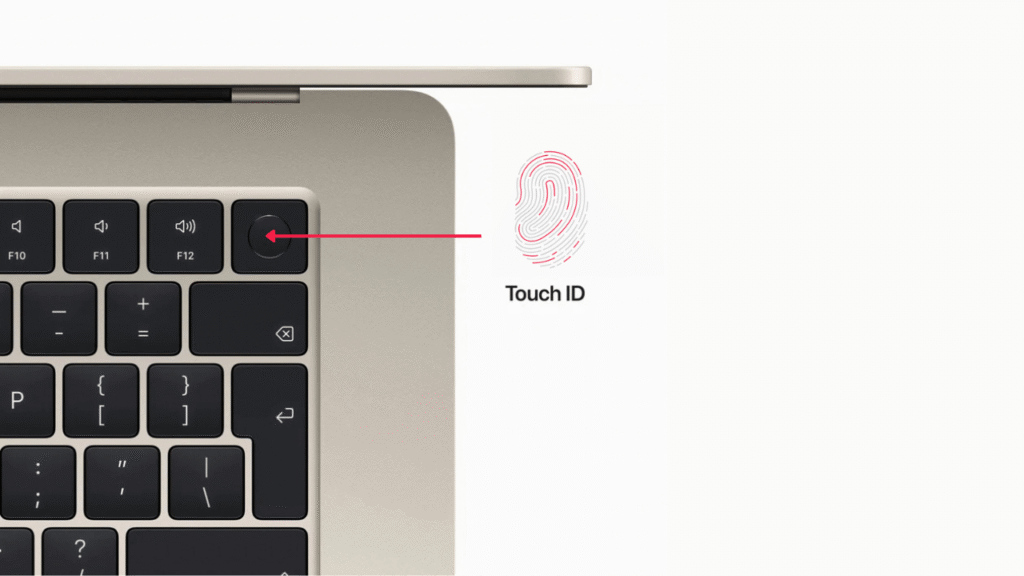
Unlike older power buttons or standard keyboard keys, the Touch ID button on modern M series processor MacBook Air and MacBook Pro models is an advanced piece of hardware:
Biometric Sensor: It contains a high resolution fingerprint scanner that allows you to unlock macOS, approve administrator passwords, autofill your Keychain details, and authorize Apple Pay transactions.
Hardware Cryptographic Pairing: Touch ID is not a standalone part. The sensor inside the button is paired at the factory to the Secure Enclave inside the Apple Silicon (M1, M2, M3, M4) processor or T2 Security Chip on your logic board.
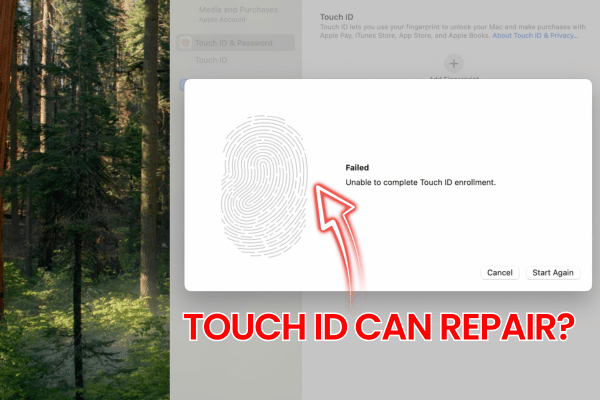
Zero Repair Chance for Fingerprint Functions: If the internal sensor chip inside your original Touch ID button is completely destroyed by corrosion, it will NEVER able to read your fingerprints again. It will only act as a mechanical power button. Once the original paired chip is dead, biometric Touch ID is lost forever unless you replace the entire motherboard.
Critical Display & Power Circuits: Sitting directly beneath the top right corner are the display backlight power lines, battery power rails, and lid angle sensing power control circuits. Liquid pooling here doesn’t just threaten Touch ID—it threatens the power delivery to your MacBook screen.
The “It Still Works” Myth: How Corrosion Can Destroys Touch ID
“It still turned on and charged after the spill, so I thought it was ok to use.”
When liquid enters the narrow gap around the Touch ID button while the MacBook is turned on (or while the battery is connected internally), electrical current is actively running through power and signal lines.
Electricity mixed with water causes rapid corrosion. Even after the surface looks dry, liquid trapped under the button slowly eats away the copper signal traces, resistors, and flex connectors.
The longer you wait, the higher the chance that corrosion permanently damage the circuits, destroying the Touch ID sensor chip beyond repair.
Official Service Centre vs. The Orange Fix Solution
If you take a liquid damaged Touch ID button to any official service centre, replacement policy causes an expensive quote:
Official Service Centre SOP: They do not perform any soldering or ultrasonic cleaning on individual parts. Because Touch ID is paired to the logic board, official repair guidelines recommend the replacement both the complete Logic Board and the entire Top Case Assembly (which includes a new keyboard, trackpad, battery, speakers, and casing). This easily costs RM2500.00 to RM4500.00++.
The Orange Fix Solution: If you bring your MacBook to our Subang SS15 shop immediately after a spill, our technicians will immediately disconnect internal power, perform specialized ultrasonic cleaning to remove moisture and any water stained, and we can resolder any damaged power rails on the original Touch ID structure. By saving your original paired button, we preserve full biometric Touch ID functionality at a fraction of official costs.
Frequently Asked Questions
Can I buy a second hand Touch ID button and install it on my MacBook to restore fingerprint function?
No. While a replacement Touch ID button from another Mac will physically fit and allow you to press it to turn the Mac on, the fingerprint scanning feature will not work. Touch ID sensors are linked to your specific logic board security setting at the manufacturing side.
What should I do immediately if I spill water or coffee on my keyboard – Touch ID button?
Power off the MacBook immediately and do not plug in the charger. Bring the Mac ASAP to us for immediate internal power disconnection and ultrasonic cleaning.
Why does official Apple service quote thousands of Ringgit for a wet Touch ID button?
Because Touch ID cannot be un-paired and re-paired to a new button without official diagnostic programming, official service channels need to replace the entire motherboard together with the whole top casing.

Topics That Might Interest You
Tired of reading boring, automated repair advice generated by generic ai tools? Discover why real repair experience and human words insights matter in ai repair articles dont help.
Planning to upgrade to Apple brand-new 7.6-inch foldable iPhone? Check out essential pre-order safety tips and cloud backup advice in apple launched foldable iphone duo.

About The Author
This article is written with input from Kevin, who has 18 years of hands on experience in MacBook repair, logic board inspection and Apple device care. Kevin and the OrangeFix team are also daily Apple product users, so every guide is written from real repair experience and practical user understanding.
Featured Twice in The Star newspaper Tech section
We have ben sharing practical hardware maintenance advice with the Malaysian public:
Pet Accidents & Hardware Safety: Tips on protecting MacBooks from liquid spills, pet fur, and internal fan clogs in The Star: Not ‘fur’ fun – How to protect your gadgets from pet mayhem.
Hardware Longevity & Maintenance: Insights on digital decluttering, storage care, and internal thermal servicing in The Star: Step into the Lunar New Year with a clean slate.
YouTube Radio Interview
The team also have also shared our repair knowledge through a CityPlus FM radio interview on YouTube which you can watch bellow.
OrangeFix is an independent repair centre in SS15, Subang Jaya.