


Date: 18 August 2026
Table of Contents
ToggleTold Your Mac Is “Obsolete”? Why You Don’t Need to Buy a New One
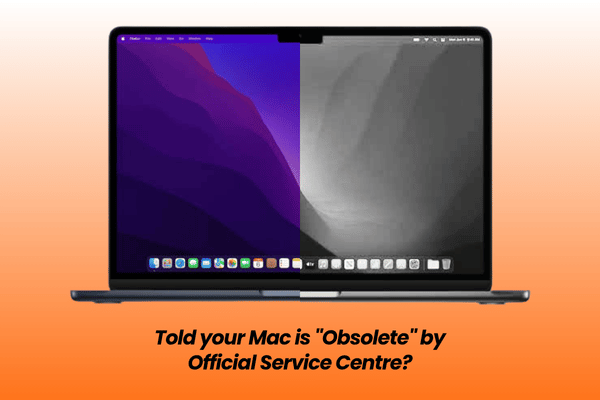
If you recently walked into an official service centre with a 4 to 6 year old MacBook or iMac, you might have experienced a shocking interaction:
“Sorry, sir/madam. Your model is now classified as Vintage or Obsolete. We no longer order parts or provide repairs for this unit. Your only option is to buy a brand new Mac.”
Hearing that a computer you bought for thousands of Ringgit, which was working perfectly fine until a small hardware fault, is now officially labeled as “throwaway” feels completely unreasonable.
Not everyone needs the absolute latest M series chip to handle daily work, university studies, paperwork, emails, or Netflix streaming.
Understanding what “Vintage” and “Obsolete” status actually means, why they enforce it, and how independent hardware specialists keep machines running back to 2009 will save you thousands of Ringgit.
What “Vintage” & “Obsolete” Really Mean (And Why Official Stores Turn You Away)
Official channels operate on strict corporate product lifecycle rules designed to push users toward constant hardware upgrades:
Vintage Status (5 to 7 Years After Last Sale): Official service centres restrict parts ordering. Repairs become subject to limited overseas inventory, and technicians actively encourage you to upgrade.
Obsolete Status (7+ Years After Last Sale): Official hardware service is permanently discontinued worldwide. Service centres are blocked from ordering replacement parts entirely, even for minor issues like a degraded battery or a stuck key.
This policy completely ignores real world usage. A well built MacBook Pro or iMac hardware chassis can easily last 10, 12, or even 15 years for everyday documentation, accounting, web browsing, and data storage.
The Real Danger: Losing Access to Your Internal Data
The biggest problem with being turned away at an official service centre is not just the refusal to repair, it is your data that are still inside the Mac.
When an official outlet declares a machine obsolete, they offer zero help with data retrieval. If your older Mac won’t turn on, they will not attempt logic board soldering to revive it, leaving your personal family photos, financial records, and work documents locked inside a broken machine.
At Orange Fix, our data first philosophy means we prioritize reviving your original motherboard or safely extracting your files so you never lose what matters most.
Supporting Macs Back to 2009 (17 Year Hardware Coverage)
Because we operate as the biggest hardware importer and distributor in Peninsular Malaysia, our Subang Jaya SS15 headquarters maintains physical inventory for both latest and older Apple devices.
17 Years of Ready Stock: We stock screens, batteries, keyboards, trackpads, power connectors, and logic board chipsets covering Apple devices all the way back to 2009 models.
Zero Appointment Needed: You don’t need to jump through online booking hoops or risk being turned away at the door. You are treated as a valued client the moment you step in. Walk straight into our Subang SS15 shop during operating hours for an immediate face to face consultation.

Software OS Lifeline: Running Modern Browsers & Cloud Apps on Older Macs
Is your older MacBook hardware running fine, but struggling to open modern websites or running into error messages on Safari, Google Chrome, or Firefox?
As macOS ages, Apple stops releasing official software updates to older models. This eventually prevents web browsers from updating, causing cloud services like Google Sheets, Google Drive, OneDrive, and Microsoft 365 to stop loading properly.
macOS Version Patching & Upgrades: We offer specialised software configuration solutions that allow older, unsupported MacBook and iMac models to run newer macOS versions safely.
Extend Useful Life: By updating your operating system, your vintage Mac gains full compatibility with modern web browsers, cloud storage tools, and productivity applications, giving an older machine years of extended usefulness without buying new hardware.
If you are unsure whether your older Mac can be saved or upgraded, send us a quick WhatsApp message or walk directly into our shop in Subang SS15 for a quick chat with our technical team.
Frequently Asked Questions
Can an older 2012 or 2015 MacBook still run modern Google Drive and Microsoft Office?
Yes. While Apple official software updates stop after a certain year, independent specialists can apply safe operating system patches that allow older Intel based MacBooks to run newer macOS releases. This restores full compatibility with modern versions of Chrome, Safari, Google Sheets, OneDrive, and Microsoft 365.
What should I do if an official service centre refuses to repair my legacy MacBook?
Do not throw the machine away or assume your data is lost forever. Bring the unit directly to an independent specialist like Orange Fix. We maintain dedicated component inventory for older generations back to 2009 and perform soldering or direct drive extractions to recover your files.

Topics That Might Interest You
Worried about file confidentiality and personal privacy when leaving your Mac for repair? Read our full security breakdown in macbook repair data privacy malaysia.
Looking for a comprehensive overview of independent hardware services across KL and Selangor? Check out macbook repair malaysia.
Curious about the technical background and leadership behind Orange Fix Services in Subang SS15? Learn more in kevin related to orange fix services subang ss15.

About The Author
This article is written with input from Kevin, who has 18 years of hands on experience in MacBook repair, logic board inspection and Apple device care. Kevin and the OrangeFix team are also daily Apple product users, so every guide is written from real repair experience and practical user understanding.
Featured Twice in The Star newspaper Tech section
We have ben sharing practical hardware maintenance advice with the Malaysian public:
Pet Accidents & Hardware Safety: Tips on protecting MacBooks from liquid spills, pet fur, and internal fan clogs in The Star: Not ‘fur’ fun – How to protect your gadgets from pet mayhem.
Hardware Longevity & Maintenance: Insights on digital decluttering, storage care, and internal thermal servicing in The Star: Step into the Lunar New Year with a clean slate.
YouTube Radio Interview
The team also have also shared our repair knowledge through a CityPlus FM radio interview on YouTube which you can watch bellow.
OrangeFix is an independent repair centre in SS15, Subang Jaya.