


Date: 21 July 2026
Table of Contents
ToggleMacBook Repair Data Privacy
How to Fix Your Mac Without Giving Away Your Password?
Unless you have been completely disconnected from social media recently, you have definitely seen the widespread news surrounding the Khairul Aming and Maxis data privacy incident. It was a massive wake up call for almost everyone in Malaysia. If a high profile entrepreneur private records can appear online due to unauthorized internal handling, what happens to regular people when they hand their personal devices over to strangers?
Honestly? You have every right to be deeply concerned.
When your MacBook breaks down and you take it to a repair shop, the technician will almost always ask: “Boss, what is your login password?”
Handing over your password feels deeply uncomfortable, and it should. Your computer is not just a piece of hardware, it is your entire digital life. It holds family photos, private WhatsApp conversations, confidential work documents, saved banking credentials, and personal browser histories. Handing that password over to an unverified technician is like giving a complete stranger the keys to your front door and telling them to feel at home.
At Orange Fix Services, we believe protecting your personal privacy is just as critical as repairing your logic board. You should never have to risk your personal security just to get a working computer back. Here is how we run our shop so you keep 100% control of your data.
Option 1: The Standard User Profile Strategy (For Working Macs)
If your MacBook can still boot up and the display is working, but you need a battery change, keyboard or speaker replacement, you never need to give us your main administrator password.
Before you bring your machine to our Subang SS15 shop, take two minutes to set up a secondary profile:
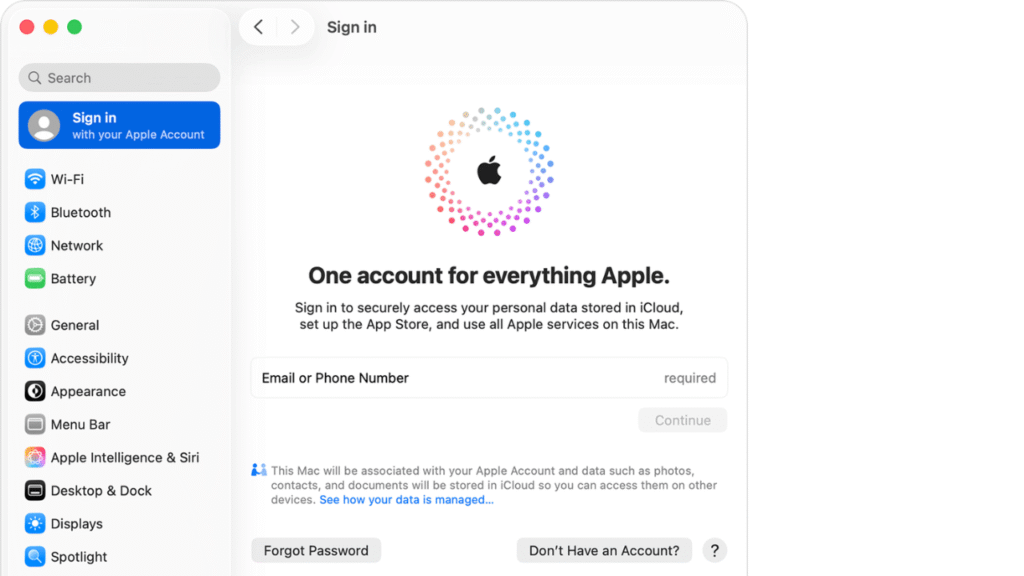
Open System Settings (or System Preferences) on your Mac.
Go to Users & Groups and click Add Account.
Select Standard User (not Administrator). Name it “Test” and assign a simple temporary password like
1234.
Why This Works (The macOS Protection Barrier)
The architecture in the macOS features a very strict user privilege separation. A Standard User profile is completely limited. When our technicians log into that test (standard account) profile, macOS will blocks access to your main administrator folder. We cannot view, open, edit, export, or delete any files, photos, or documents stored under your main account.
We get the testing environment we need to check your new battery or keyboard, while your personal digital life remains completely locked behind secure hardware encryption.
Option 2: The Zero Password Repair (For Unable to On, Water Damaged, or Broken Macs)
What happens if your screen is completely cracked, logic board suffered a coffee spill, or your Mac is completely spoiled and won’t turn on? Obviously, you cannot log in to create a temporary user profile on a broken machine.
Other shops might ask your master password on a piece of paper “just in case,” or worse, official service channels might tell you that a total storage format is a must.
Our policy is completely different: We can perform a Zero Password Repair.
Step 1 (The Hardware Fix): We take your spoiled or damaged machine, repair the blown board component, replace the cracked screen panel, or repair the power lines first. We do not need your password to measure voltage lines with a multimeter or solder a chip.
Step 2 (The Live Testing Session): Once the hardware is stabilized and the machine boots up likr normal, we do not guess your password or ask you to text it to us. You can come straight to our shop, sit down with us, and log into your profile yourself.
Step 3 (Transparent Verification): While you sit comfortably right in front of us, our technician can do all the testing (Wi-Fi connection, sound channels, camera inputs, and charging speeds) directly in front of you.
Once the tests pass and all is back to 100%, you take your Mac home.

20 Years of Trust: Respecting Your Privacy Like Our Own
We have been running component level repair for almost 20 years. In an industry filled with inexperience technicians and unverified middlemen, we survived and expanded to Subang SS15 for one reason: uncompromising integrity.
We treat your personal databases, personal photos, and corporate files with the exact same strict respect we expect for our own family devices. We do not employ random outsourced freelancers, and we don’t send your Mac away to other people to repair. Everything is handled directly on our shop.
Visit Our Workshop for a Private, Secure Repair
If you want an honest hardware fix without sacrificing your data security, bring your machine to our team:
Subang Jaya SS15 Shop: No.22 – 1, Jalan SS 15/8, SS15, 47500 Subang Jaya, Selangor. (Open for instant walk in consultations during business hours. Located near the SS15 LRT Station).
Frequently Asked Questions
Will turning on FileVault disk encryption affect my MacBook repair process?
No. FileVault encrypts your entire solid state drive (SSD) using your main account password. Leaving FileVault turned on is actually a great security practice. It ensures that even if someone physically desoldered your flash storage chips, the data inside would remain unreadable encrypted code without your private master key. Our team can repair your logic board and test components using a Standard User profile without needing you to turn off FileVault.
What if a shop tells me they CANNOT fix my MacBook unless I give them my main admin password?
You should treat that demand as a major red flag. Unless you are bringing the machine in specifically for an operating system software reinstall or a user account lockout reset, standard hardware repairs (such as battery replacements, changing a new screen, charging port repair, or logic board soldering) do not require administrative access to your personal files. A professional technician only needs basic system access to verify hardware sensors.
Is my data safe if my logic board suffers severe liquid damage?
Yes, provided the storage chipsets themselves have not been physically damaged by shorts. Because we perform precision component soldering to repair the broken lines on your existing board rather than replacing the whole motherboard, your original soldered storage chips remain completely there, meaning all your files, photos, and operating system setups stay right where you left them.

Topics That Might Interest You
Want a complete breakdown of component level soldering versus expensive board change? Read our honest guide on macbook repair malaysia to see how we restore spoiled motherboards while keeping your files intact.
Need an urgent same day fix and want to avoid inexperience technicians? Discover how to spot a proper repair shop by checking out instant macbook repair klang valley on the spot.

About The Author
This article is written with input from Kevin, who has 18 years of hands on experience in MacBook repair, logic board inspection and Apple device care. Kevin and the OrangeFix team are also daily Apple product users, so every guide is written from real repair experience and practical user understanding.
Kevin has shared his repair knowledge through a CityPlus FM radio interview and has also been featured twice in The Star for gadget care, water damage advice and digital decluttering tips.
OrangeFix is an independent repair centre in SS15, Subang Jaya.