


Table of Contents
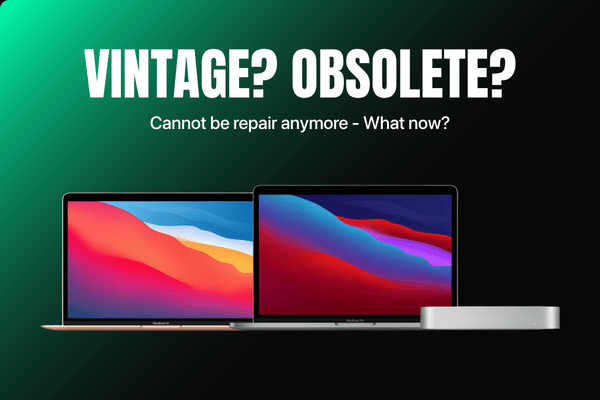
ToggleApple Says Your MacBook Is Vintage Or Obsolete?
Do Not Bin It Yet
If you bring an older MacBook Air or MacBook Pro into an official service centre because the battery is dying or the trackpad stopped clicking, you might receive a shocking answer. The staff might glance at their system and tell you your machine is now considered vintage or obsolete.
In many cases, they will completely refuse to touch it, telling you that parts are no longer available, before pushing you to buy a brand new model. On online forums like Reddit, thousands of users rant about how they were turned away by big franchises simply because their perfectly fine laptop reached a certain age.
But just because a company decides your laptop is old does not mean its useful life is finished.
Quick Summary: Apple uses the words vintage and obsolete to describe machines they no longer want to support. If your Mac is from 2012 onwards, it is often still highly capable for everyday tasks. You do not need to throw it away—an independent specialist can easily source parts and fix the motherboard to give it many more years of stable life.

What Happens When Apple Labels Your Mac Vintage Or Obsolete?
Apple operates under a strict timeline for hardware support. Generally, once a product has stopped being distributed for sale for more than 4 to 5 years, it enters the vintage list. Once it passes 7 years, it is marked as obsolete.
The moment a MacBook hits these milestones, official channels drop support on a while stocks last basis, or they shut the door entirely. Even if your aluminum chassis is still good and the processor is running fast, a simple issue like a worn out battery can cause an official store to reject your machine. They want you to move into their upgrade cycle, even if you are not in a financial position to spend thousands of RM on a new machine.
Why Official Channels Refuse To Help?
If you walk into those shops that are everywhere in almost every mall, their technicians are bound by strict company guidelines. They are only allowed to order and install parts that are actively listed in the current manufacturer catalog.
If their software flags your 2015 MacBook Pro as obsolete, the system physically blocks them from ordering a replacement keyboard or screen assembly. Because they cannot get the part from their internal factory warehouse, they have no choice but to say no. Their business model is built around serving newer models with a heavy retail markup, leaving owners of older machines completely stranded.
Why Old MacBooks From 2012 Onwards Are Still Great Today?
The truth that the big company outlets do not want you to focus on is that Apple built incredible hardware between 2012 and 2019. The keyboards were robust, the aluminum frames were durable, and the processors still have plenty of power for regular, everyday activities.
An older MacBook Air or Pro does not need to run the absolute latest, heaviest editing software to be incredibly useful. For a large segment of users in Malaysia, these machines are more than enough to handle daily usage needs without any lagging.
Perfect For Daily Basics: From Online Classes To Overseas FaceTime
Think about how older folks or primary school students use a computer at home. They do not need complex programming tools or heavy graphics processing. An older Mac is an excellent, cost effective tool for:
-
Students: Perfect for typing up assignments, doing research, or attending online school classes.
-
Entertainment: Smooth performance for streaming movie nights on Netflix or watching videos on YouTube.
-
Family Connections: A reliable webcam and crisp display for staying in touch via email or hopping on a FaceTime call with children and grandchildren living overseas.
Buying a brand new laptop just to check emails and watch videos is an expensive mistake when your existing vintage mac can do the exact same job perfectly well.
We Still Stock Real Parts For Older MacBook Air And MacBook Pro Models
At OrangeFix, we do not follow corporate expiry dates. Because we work right alongside the biggest distribution parts network in the country, we have deep access to an extensive inventory of components that official shops claim are impossible to find.
We actively stock and supply high grade parts for classic Mac models from 2012 onwards, including:
-
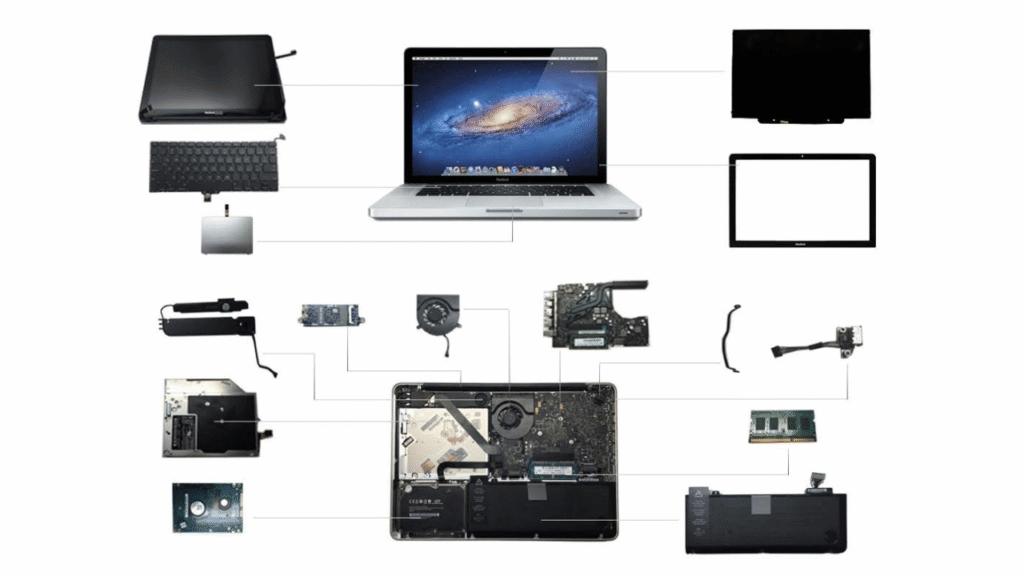
New Battery: Replacing swollen or degraded cells to restore 4 to 6 hours.
-
Replacement Displays: Fixing cracked screens, vertical lines, or backlight issues.
-
Keyboards and Trackpads: Swapping out sticky keys or dead touchpads so your typing feels brand new.
Motherboard Fixes For Older Macs: Repairing Logic Board Instead of Giving Up
A common reason an older Mac gets thrown into a drawer is a sudden power failure. A user leaves their laptop laptop plugged in overnight, a minor voltage surge occurs, and the machine goes completely dead.
An official repair counter will immediately tell you that you need a whole new logic board, which costs more than the second hand value of the entire laptop. At our place, we use component level diagnostics to save these vintage motherboards. By using a microscope and a multimeter, we can find the exact single chip or power line that blew out and solder a new one in place. Fixing a circuit costs a fraction of the price of a whole board and keeps a great machine out of the landfill.
When Does It Make Sense To Save An Older Mac?
We believe in setting honest and realistic expectations before you spend a single Ringgit. Repairing a vintage or obsolete MacBook makes absolute sense if the core chassis is in good condition and the fix solves a specific, isolated issue.
If your laptop simply needs a fresh battery, a new trackpad cable, or a minor motherboard circuit repair, investing in a proper fix is highly economical. It gives you a stable, reliable machine for a fraction of the cost of buying a new computer.
However, if a machine has severe water damage across the screen, keyboard, and board simultaneously, we will be the first to tell you honestly when a repair is no longer worthwhile.
Frequently Asked Questions:
Q: Can an obsolete MacBook still browse the internet safely?
A: Yes. Even if your older Mac no longer receives major macOS version updates from Apple, you can still run other web browsers like Google Chrome or Mozilla Firefox, which continue to provide active security updates. This allows you to safely check emails, stream video platforms, and handle online banking without issue.
Q: Why does Apple refuse to fix devices that are only six or seven years old?
A: Official company policy is designed to optimize supply chain logistics and drive new hardware sales. Keeping warehouses full of replacement parts for older models is expensive for their business model, so they use labels like vintage and obsolete to legally stop supporting older hardware and encourage users to upgrade.
Q: How many days does it take to replace a battery on an older MacBook Pro?
A: A standard battery replacement for a classic MacBook Air or Pro is a straightforward procedure. However, we do not perform rushed, half baked jobs. The physical installation and our mandatory post repair power stability and stress tests typically take few hours to ensure the charging system is completely safe and reliable.
Q: Are aftermarket battery safe for older Mac models?
A: They are completely safe provided they are sourced from a reputable, high grade supply network. Because we operate directly alongside the biggest distribution parts supplier in Malaysia, every single battery we install has been strictly verified for safety, capacity, and voltage stability, ensuring it matches factory performance levels.
Conclusion
An official vintage or obsolete status is simply a corporate timeline, not a technical death sentence for your laptop. Older MacBook Air and MacBook Pro models built from 2012 onwards remain fantastic, reliable machines for families, students, and senior citizens who just need a stable computer for daily communication, entertainment, and learning.
By avoiding the heavy retail markup of big franchises and staying away from an inexperience place that uses ultra low quality parts, you can go straight to the source. Choosing honest, evidence based diagnostic care allows you to keep your premium hardware running smoothly for years to come.
If your trusted older Mac is suffering from a dying battery, a dark screen, or a power fault, bring it to our technicians in Subang Jaya for a proper check and a proper repair.
OrangeFix is an independent repair centre and is not affiliated with Apple.

About The Author
This article is written with input from Kevin, who has 18 years of hands on experience in MacBook repair, logic board inspection and Apple device care. Kevin and the OrangeFix team are also daily Apple product users, so every guide is written from real repair experience and practical user understanding.
Kevin has shared his repair knowledge through a CityPlus FM radio interview and has also been featured twice in The Star for gadget care, water damage advice and digital decluttering tips.
OrangeFix is an independent repair centre in SS15, Subang Jaya, and is not affiliated with Apple.