
Table of Contents
ToggleiPad Battery Cannot Be Changed On The Spot?
You brought your iPad for battery replacement. Expected a quick battery change. Then you were told it cannot be done on the spot.
For many iPad users, this is the first surprise.
The second surprise is the price. iPad battery replacement can cost a few hundred ringgit, depending on model, warranty status and service option. If the iPad is still under warranty or AppleCare, the official route may be worth checking first. But once the warranty or AppleCare period has ended, many iPad issues are usually handled as paid service or replacement through the official route.
That means it may not be a quick repair. It may not be done immediately. Sometimes, the advice may even be to replace the device if the repair is not practical through that service path.
This is where many users start asking the real question. Is my iPad still worth repairing?
Why iPad Battery Replacement Is Not Always Immediate?
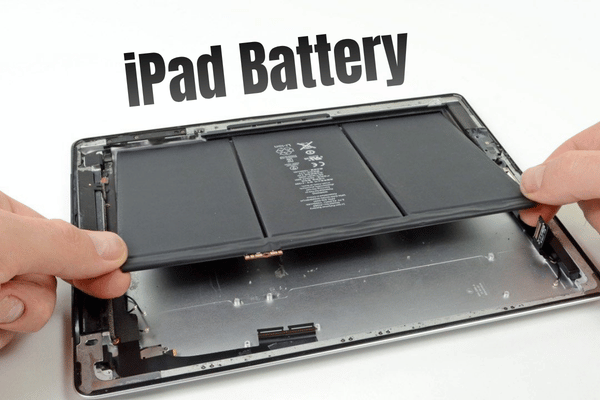
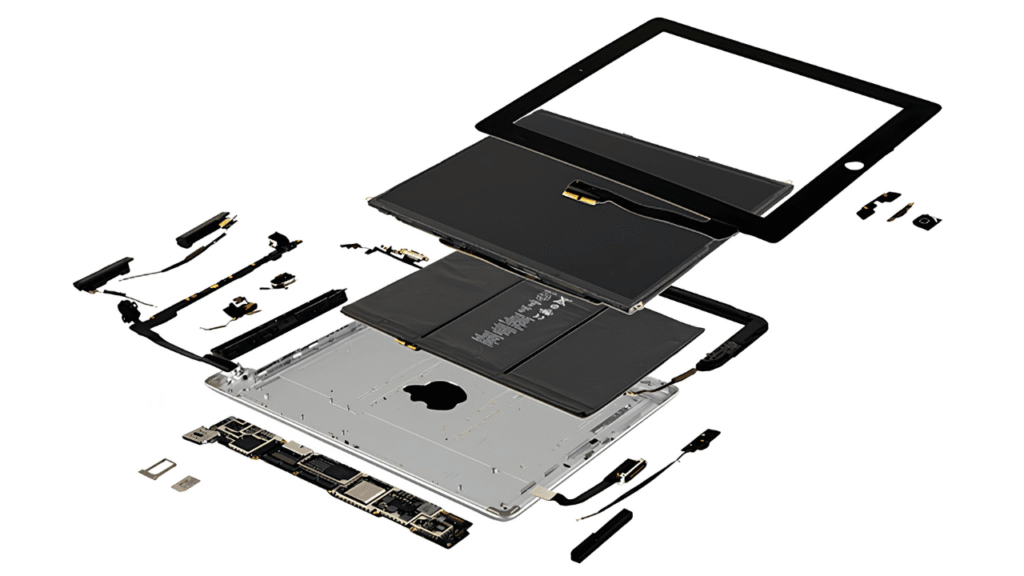
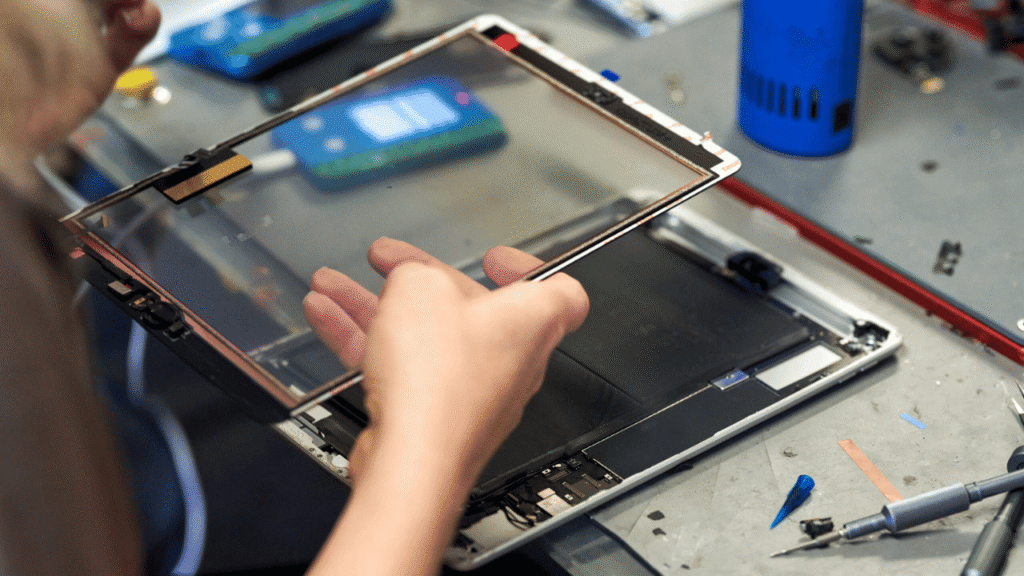
An iPad battery is not like changing a normal removable battery. Its thin, tightly assembled and glued together carefully. To replace the battery, the screen usually needs to be opened first. If the process is not done properly, the screen can crack, the touch function can be affected, or internal parts can be damaged.
That is why iPad battery replacement needs proper tools, patience and experience. Even when the issue is only battery related, the job still needs careful opening, battery removal, fitting, testing and final inspection.
So yes, iPad battery replacement is possible. But no, it should not be treated like a simple five minute job.
What Happens After Warranty Ends?
Most iPad users get one year standard limited warranty. If AppleCare is purchased, the coverage may continue longer depending on the plan.
After warranty or AppleCare ends, the official service route may still be available as paid service, depending on the model, issue and service option.
However, users should understand one important point. Official service usually follows a replacement based process. It is not the same as independent repair where a technician may repair or replace only the failed part when suitable.
For iPad issues such as weak battery, cracked screen, cannot turn on, charging fault, liquid damage or logic board problem, the official answer may not always be a fast repair.
Sometimes the process involves inspection, quotation, parts arrangement or replacement option. That is why some customers feel shocked when they expect an on the spot battery change but are told to wait.
Common iPad Problems After Warranty
Many iPad problems happen after a few years of use.
- Battery drains too fast.
- iPad shuts down suddenly.
- Screen is cracked.
- Touch is not responding.
- iPad cannot turn on.
- Charging becomes unstable.
- Casing feels slightly hot.
- Logic board has power related issues.
For many users, the iPad is still useful. Maybe it is used for school, YouTube, drawing, POS system, ordering menu, video call, note taking or children learning.
So when the iPad battery becomes weak, buying a new one may feel wasteful. If the iPad still performs well, battery replacement can be a more cost effective option.
How To Protect Your iPad Battery And Logic Board?
The best repair is the one you can avoid. For iPad users, the most practical protection is proper charging habit and physical protection.
Use a proper Apple original 20W USB C charger or a high quality certified charger.
Use a good USB C cable or Lightning cable, depending on your iPad model.
- Avoid cheap unknown chargers.
- Say no to damaged cables.
- Try not to charge the iPad in a very hot place.
- Stop using the iPad if the battery is swollen.
- Do not ignore charging issues if the iPad keeps disconnecting.
Poor quality chargers and unstable power can increase the risk of charging fault, short circuit or logic board damage. The iPad may look simple from the outside, but inside, one power issue can become expensive.
Should You Use A Screen Protector On iPad?
We do not usually recommend normal screen protectors for every iPad user. Why?
- Make the display look darker.
- May reduce touch sensitivity.
- Also may affect Apple Pencil drawing accuracy.
For users who draw, write notes or use Apple Pencil often, a poor quality screen protector can make the iPad feel less accurate.
However, if you really want to use one, choose a high quality tempered glass screen protector. Avoid cheap screen protectors that affect brightness, touch response or drawing feel.
The iPad screen is the part you look at and touch every day. Do not make the experience worse just to feel protected.
What OrangeFix Can Help With?
OrangeFix can help with selected iPad battery replacement, screen replacement and logic board repair.
For selected models and cases, battery or screen replacement may be arranged on the spot if parts are available and the device condition allows it.
For iPad cannot turn on or logic board related issues, we can provide inspection and advise the repair direction. Some cases can have faster turnaround compared to waiting through a long replacement process.
However, not every iPad can or should be repaired. If the iPad is badly bent, badly water damaged, has a cracked screen, swollen battery, previous failed repair or multiple internal issues, we will advise properly before you spend.
The goal is not just to repair but to help you decide whether the repair still makes sense.
Before You Replace The iPad Battery
Before changing your iPad battery, check these points:
- Still fast enough for daily use?
- Screen still in good condition?
- Body bent?
- Charge properly?
- Turn on normally?
- Battery swollen?
- Have important data inside?
- Repair cost reasonable compared to buying another iPad?
It is still good and only the battery is weak, replacing the battery may be worth it. So if the iPad already has too many problems, buying another device may be smarter.
Frequently Asked Questions:
Should I replace iPad battery or buy a new iPad?
If the iPad still works well and only the battery is weak, battery replacement may be more cost effective. If the iPad is very old, slow, bent, cracked or has multiple issues, replacing the device may make more sense.
Can a bad charger damage my iPad?
Poor quality chargers or damaged cables can increase the risk of charging problems, unstable power and possible internal damage. Use a proper Apple original charger or a high quality certified charger.
What charger should I use for iPad?
For many newer iPad models, a proper Apple 20W USB C charger with a good USB C cable is a safe choice. For older models, use the correct cable type that matches the iPad charging port.
Should children use iPad with protective cover?
Yes. If the iPad is used by children, a good foam protection cover can reduce the risk of drop damage, corner impact and screen crack.
Should I install screen protector on iPad?
Not always. Some screen protectors can reduce brightness, touch sensitivity or Apple Pencil accuracy. If you want one, choose a high quality tempered glass screen protector.
Can OrangeFix repair iPad logic board?
OrangeFix can inspect and repair selected iPad logic board issues, including some cannot turn on and charging related cases. Repair possibility depends on the board condition and damage level.

About The Author
This article is written with input from Kevin, who has 18 years of hands on experience in MacBook repair, logic board inspection and Apple device care. Kevin and the OrangeFix team are also daily Apple product users, so every guide is written from real repair experience and practical user understanding.
Kevin has shared his repair knowledge through a CityPlus FM radio interview and has also been featured twice in The Star for gadget care, water damage advice and digital decluttering tips.
OrangeFix is an independent repair centre in SS15, Subang Jaya, and is not affiliated with Apple.