


Table of Contents
ToggleSuspect MacBook Battery Issue? Signs You Should Check First.
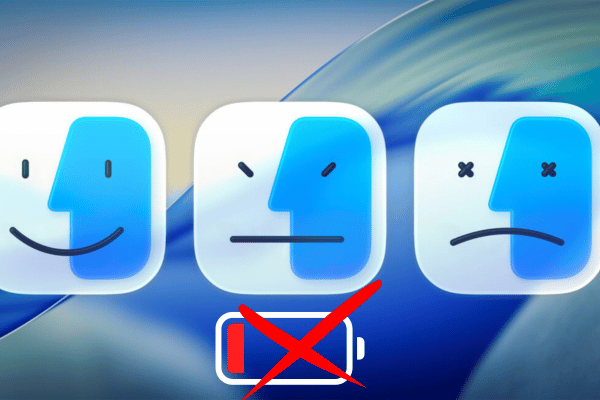
Not every MacBook battery issue starts with a clear warning. Some users notice the battery drains faster than before. Others realise the MacBook shuts down even when the battery percentage still looks high. A few only discover the problem when the trackpad becomes harder to click or the bottom case no longer sits flat.
If you suspect your MacBook battery has an issue, the best first step is to check the signs properly before deciding whether battery replacement is needed.
OrangeFix helps users understand whether the problem looks battery related, charging related, software related, or possibly linked to another internal issue.
Common Signs Of A MacBook Battery Issue.
Battery problems can show up in many ways, and not all of them look serious at first. A MacBook battery should be checked if you notice:
- Battery percentage drops suddenly.
- Battery drains too fast during normal use.
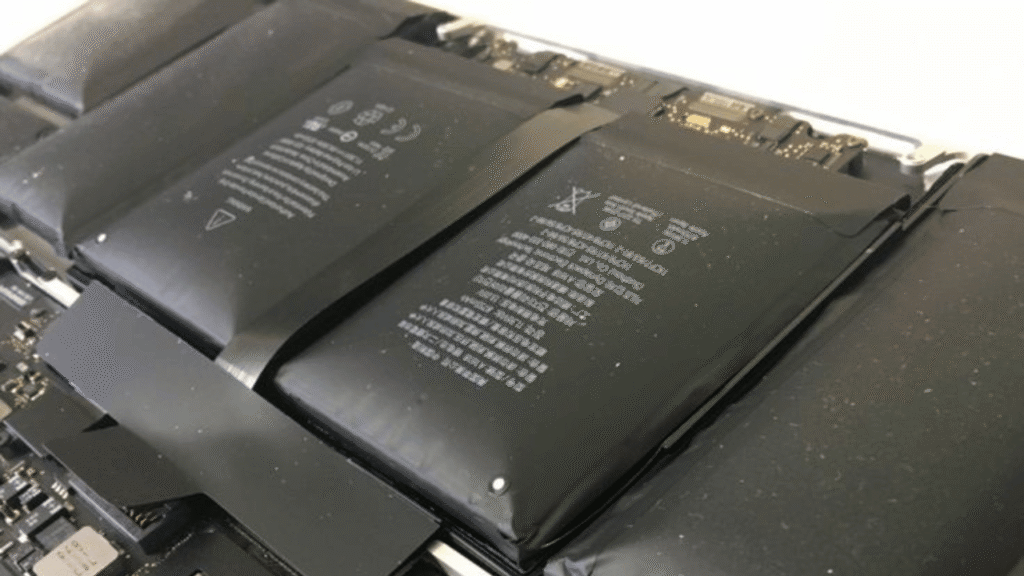
- Bottom casing feels lifted, uneven, or slightly swollen.
- MacBook cannot last without charger.
- MacBook shuts down before reaching 0%.
- macOS shows Service Recommended.
- Trackpad becomes harder to click.
Why Battery Problems Should Not Be Ignored?
A weak battery is annoying and a swollen battery is a different story.
When battery health drops, the MacBook may still turn on, but daily use becomes less reliable. You may find yourself carrying the charger everywhere, lowering brightness just to survive a meeting, or avoiding unplugging the MacBook because you already know it cannot last.
Swelling needs faster attention because the battery can press against nearby parts. On some MacBook models, this pressure may affect the trackpad, bottom case, keyboard area, or internal components.
The OrangeFix view is simple: if the battery is weak, check it before it affects your workflow. If the battery is swollen, do not wait until the MacBook casing is visibly pushed out.
Service Recommended, Cycle Count And Battery Health.
macOS gives useful battery clues, but the numbers should be read carefully.
Apple says you can check Battery Health in System Settings. Normal means the battery is functioning normally, while Service recommended means the battery can still perform, but it holds less charge than when it was new.
Cycle count is another useful signal. Apple explains that one charge cycle means using all of the battery’s power, but not necessarily in one single charge. For many modern MacBook models, Apple lists a maximum cycle count of 1,000. Once the cycle count is reached, battery replacement is recommended to maintain performance.
That said, battery health numbers are not the whole story. A MacBook showing 85% capacity may still feel poor if it shuts down suddenly, drains unusually fast, or struggles under normal workload. On the other hand, a lower capacity battery may still be usable for light desk use if it is not swollen and the user understands the limitation.
When The Issue May Not Be The Battery?
Some problems feel like a battery issue, but the real cause may be somewhere else.
If the MacBook says Not Charging, Apple notes that it can happen when charging is paused to extend battery life, when the power source can run the Mac but does not provide enough power to charge it, or when the Mac is using more power than the charger provides.
Other possible causes include charger mismatch, weak USB C cable, dirty charging port, background apps using too much power, heat, software activity after macOS updates, or a charging related logic board issue.
This is why OrangeFix does not recommend jumping straight to battery replacement without checking the full symptom first.
The wrong repair wastes time while the right diagnosis saves money.
OrangeFix Battery Check Direction.
OrangeFix checks battery issues based on both macOS readings and real world symptoms.
The check may include battery health, cycle count, charging behaviour, swelling signs, trackpad pressure, charger response, and whether the MacBook behaves normally under daily use.
For some cases, battery replacement is the correct direction. While other cases, the issue may be related to charging, software, USB C port, power line, or another internal fault.
The goal is not simply to change the battery, but to confirm whether changing the battery will actually solve the problem.
Frequently Asked Questions:
How do I know if my MacBook battery has an issue?
Look for fast battery drain, sudden shutdown, Service Recommended warning, poor battery life, charging problems, swollen casing, or trackpad becoming harder to click. If a few of these signs appear together, the battery should be checked.
Does Service Recommended mean I must replace the battery immediately?
Not always immediately, but you should not ignore it. Apple says Service recommended means the battery holds less charge than when it was new. If your MacBook still lasts long enough and is not swollen, you may have some time. If runtime is poor or shutdowns happen, replacement becomes more urgent.
Is a swollen MacBook battery dangerous?
A swollen battery should be treated seriously. It can press against the trackpad, keyboard, casing, and internal parts. If the MacBook does not sit flat or the trackpad becomes hard to click, stop pressing the casing and get it checked.
Why does my MacBook battery drain fast even when battery health looks okay?
Battery health percentage does not explain everything. Heavy background apps, heat, software indexing, charger issues, or charging circuit problems can also affect runtime. OrangeFix checks the symptom, not just the percentage.
Can OrangeFix replace my MacBook battery on the same day?
For most MacBook models, same day battery replacement may be possible depending on stock availability and device condition. Send the model number first so OrangeFix can check stock before you come over.